
The Best Indie Game Development Tools in 2025
Sunday, July 06, 2025The Best Indie Game Development Tools in 2025
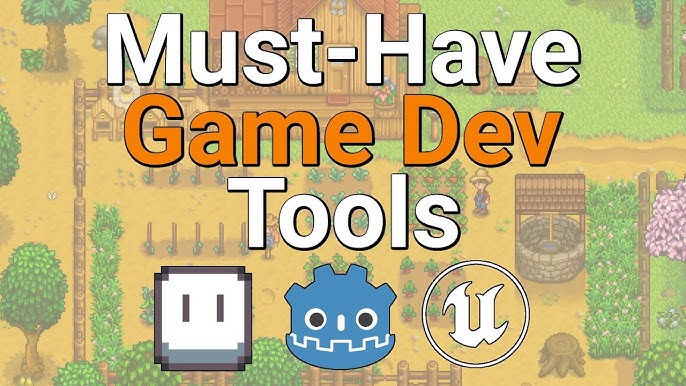
Game development has undergone a profound transformation, evolving from an exclusive domain of large studios to a thriving ecosystem where independent creators can bring their visions to life. The year 2025 marks a "golden age" for indie game developers, largely thanks to an unprecedented array of powerful, accessible, and often free tools that empower individuals and small teams to compete with, and even surpass, established industry giants.
This article delves into the best indie game development tools available in 2025, categorizing them by their primary function to provide a comprehensive guide for aspiring and current indie developers.
1. Game Engines: The Foundation of Your World
The game engine is the bedrock upon which your game is built, providing the core framework for graphics, physics, audio, and gameplay logic. The landscape in 2025 is dominated by a few key players, each with distinct strengths for indie developers:
-
Unity: Still a reigning champion, Unity remains incredibly popular for its versatility. It's a go-to for 2D, mobile, AR/VR, and mid-sized 3D projects.
- Pros: Highly user-friendly interface, vast Asset Store with millions of free and paid assets, extensive documentation, massive community support, excellent cross-platform deployment, and a generous free tier for developers earning under $200,000/year. New AI tools are enhancing its capabilities.
- Cons: Can be resource-intensive for large 3D projects, and its rendering quality, while good, may not always match Unreal Engine's out-of-the-box photorealism.
- Best For: Beginners, mobile games, 2D projects, VR/AR, and teams prioritizing ease of use and rapid prototyping.
-
Unreal Engine: Known for its stunning graphical fidelity and powerful tools, Unreal Engine is no longer solely for AAA studios. Its visual scripting system, Blueprints, democratizes complex gameplay logic.
- Pros: Cutting-edge graphics and real-time rendering, robust physics and animation tools, Blueprints visual scripting (reduces need for C++), free to use until $1 million in revenue (then 5% royalty). Strong for cinematic experiences.
- Cons: Steeper learning curve than Unity, generally requires more powerful hardware, larger file sizes for games.
- Best For: High-fidelity 3D games, cinematic experiences, developers comfortable with a steeper learning curve for superior visual results.
-
Godot Engine: The open-source challenger, Godot has seen explosive growth due to its philosophy and features.
- Pros: Completely free and open-source (no royalties), lightweight, intuitive node-based system, exceptional 2D development tools, GDScript (Python-like) is easy to learn, vibrant and supportive community. Continual improvements to its 3D capabilities.
- Cons: 3D features, while improving, may not be as robust as Unity or Unreal for complex projects; a smaller asset library compared to commercial engines.
- Best For: Indie developers, 2D games, open-source enthusiasts, developers on a tight budget, and those who value a clean, flexible workflow.
-
GameMaker Studio (YoYo Games): A classic for 2D game development, GameMaker Studio 2 continues to be a top choice for rapid 2D prototyping and full game creation.
- Pros: Excellent for 2D games, drag-and-drop functionality (GML Visual) for beginners, custom scripting language (GML) for advanced users, strong community, and multi-platform export.
- Cons: Primarily 2D-focused, paid license required for commercial cross-platform exports.
- Best For: 2D pixel art games, platformers, top-down shooters, and developers who want to get a 2D game made quickly.
2. Art & Asset Creation: Bringing Your Vision to Life
Creating compelling visuals is crucial. Thankfully, powerful tools are available, often at no cost:
-
3D Modeling & Animation:
- Blender: The undisputed king of free 3D software. Blender is a full-fledged 3D creation suite covering modeling, sculpting, rigging, animation, rendering, and even video editing. Its continuous updates and massive community make it indispensable for indies.
- Mixamo (Adobe): A free online platform for auto-rigging 3D characters and providing a vast library of motion-capture animations. It's a game-changer for quickly animating characters without extensive expertise.
- ZBrush Core Mini: A free, simplified version of the industry-standard ZBrush, excellent for getting started with digital sculpting.
-
2D Art & Illustration:
- Krita: A powerful, free, and open-source painting program designed for digital artists. It offers robust brush engines, vector layer support, and animation capabilities, making it ideal for concept art, sprites, and textures.
- Aseprite: (Paid, but affordable) The go-to tool for pixel art and retro game graphics. It offers excellent animation features like onion skinning and precise pixel-level control.
- Clip Studio Paint: (Paid, one-time purchase for desktop) Highly versatile for digital painting, illustration, and even comics/manga. Great for detailed 2D game art, UI elements, and character design.
- GIMP: (Free, open-source) A robust image manipulation program, often considered a free alternative to Adobe Photoshop for general 2D asset creation and editing.
-
Texturing & Materials:
- Substance Painter & Designer (Adobe Substance 3D Suite): (Paid, subscription) Industry-standard tools for creating realistic and stylized textures and materials. Painter is for painting directly onto 3D models, while Designer is for procedural material generation. Many indies consider the investment worthwhile for professional-looking assets.
- Quixel Mixer: (Free) An intuitive tool for creating photorealistic materials and textures by blending scans and procedural layers. Integrates well with Unreal Engine.
- ArmorPaint: (Paid, affordable) An open-source 3D painting software similar to Substance Painter, offering a cost-effective solution for direct 3D texturing.
3. Audio: The Sound of Success
Sound design and music are vital for immersion and impact. Indie developers have access to powerful and often free audio tools:
-
Digital Audio Workstations (DAWs) & Editors:
- Audacity: (Free, open-source) A simple yet powerful audio editor for recording, editing, and processing sound effects and short music pieces. Great for basic sound design and quick edits.
- REAPER: (Affordable, highly customizable) A professional-grade DAW that is incredibly lightweight and powerful for its price. Excellent for multi-track editing, mixing, and mastering, suitable for both sound effects and music composition.
- LMMS: (Free, open-source) A cross-platform DAW that allows you to produce music with your computer by creating melodies and beats, synthesizing and mixing sounds, and arranging samples.
- FMOD Studio / Wwise: (Free for indie/small projects, paid for larger ones) These are specialized audio middleware solutions designed for games. They allow for complex, interactive audio systems, adaptive music, and seamless integration with game engines. Essential for professional-grade game audio implementation.
-
Synthesizers & Plugins:
- Vital / Phase Plant (Kilohearts): Powerful software synthesizers for creating unique sound effects and musical textures. Vital has a free version with extensive capabilities.
- iZotope RX (Advanced): While pricey, it's the industry standard for audio repair and restoration, invaluable for cleaning up recorded sound effects.
4. Programming & Scripting: The Logic Behind the Fun
Even with visual scripting, a good code editor is essential for efficiency and collaboration.
- Visual Studio Code: (Free) A lightweight yet incredibly powerful code editor from Microsoft. It supports a vast array of programming languages (C#, C++, GDScript via extensions), has excellent Git integration, and a huge ecosystem of extensions for game development.
- Visual Studio Community: (Free for individuals and small teams) A full-fledged Integrated Development Environment (IDE) that is particularly strong for C# development with Unity and C++ development with Unreal Engine.
- JetBrains Rider: (Paid, subscription) A highly regarded IDE for C# development, offering superior refactoring, code analysis, and debugging compared to VS Code for Unity projects.
- GitHub Copilot & Tabnine: (Paid, with free tiers for students/open-source) AI-powered coding assistants that provide real-time code suggestions, auto-completion, and even full function generation. They significantly boost productivity and help overcome coding blocks.
- Replit Ghostwriter: An AI coding assistant integrated directly into the browser-based Replit IDE, ideal for rapid prototyping and learning, especially when working in the cloud.
5. Version Control & Collaboration: Working Together Seamlessly
Whether solo or in a team, version control is non-negotiable for tracking changes and preventing lost work.
- Git (with GitHub/GitLab/Bitbucket): The industry standard for version control. GitHub is widely used for hosting repositories, providing collaboration features like pull requests and issue tracking. Services like Git LFS (Large File Storage) are crucial for managing large game assets.
- Plastic SCM (Unity Version Control): (Free for small teams) A specialized version control system optimized for large binary files common in game development, offering excellent integration with Unity.
- Perforce Helix Core: (Free for up to 5 users) While often associated with larger studios, its free tier makes it accessible for small teams. It's known for handling massive file sizes and complex pipelines efficiently.
- Discord: More than just a chat app, Discord servers have become central hubs for indie dev communities, facilitating real-time communication, asset sharing, and quick feedback.
6. Project Management: Keeping Your Game on Track
Even small projects benefit from organized task management.
- Trello / Asana / ClickUp: (Free tiers available) Versatile task and project management tools that use Kanban boards, lists, and timelines to organize tasks, track progress, and manage workflows. Highly customizable for game dev needs.
- HacknPlan: (Free tier available) Specifically designed for game development, HacknPlan offers a unique blend of game design document integration and project management features, tailored to game-specific workflows.
- Codecks: (Free tier available) A playful yet powerful project management tool built for game development teams, integrating GDDs, tasks, milestones, and even collecting feedback directly from Discord.
- Nuclino: (Free tier available) A collaborative wiki and knowledge base tool, excellent for documenting game design, lore, and technical notes.
- Meegle / Plaky: Newer entrants in 2025 focusing on customizable project management for game development, offering features like visualized workflows and game-specific templates.
7. AI & Emerging Tools: The Future is Now
The rapid advancement of AI is profoundly impacting game development in 2025, offering unprecedented efficiency gains.
-
AI for Art Generation:
- Rosebud AI: An all-in-one suite capable of generating not just assets but entire game elements (code, assets, animations) from text prompts. Ideal for rapid prototyping.
- Layer AI: Specializes in training custom AI models on specific art styles to generate consistent 3D environments and assets.
- Scenario / Leonardo AI: Popular AI art generators capable of creating 2D/3D artwork and animations from text prompts, useful for concept art, textures, and even unique character designs.
- Alpha3D: Focuses on rapid 2D-to-3D conversion.
-
AI for Character & Narrative:
- InWorld AI: Focuses on creating realistic 3D characters with natural dialogue capabilities, integrating with major game engines.
- Charisma AI: AI-driven storytelling and dialogue tool for creating dynamic narratives.
-
AI for Design & Analytics:
- Ludo.ai: Assists with adaptive gameplay design and market analysis, providing insights for game concepts.
- AI for Code: As mentioned, GitHub Copilot and Tabnine are transformative for coding efficiency.
The array of tools available in 2025 empowers indie game developers like never before. From powerful, free engines to AI-driven asset creation and robust collaboration platforms, the barriers to entry continue to fall. While creativity and persistence remain paramount, having access to these cutting-edge tools significantly levels the playing field, making it truly a golden age for independent game creation.