
12VHPWR Melts Again: 5090 Hits 175C [2026]
Monday, September 07, 202612VHPWR Melts Again: RTX 5090 Hits 175C As 575W GPUs Meet 474W Nova Lake Leaks [Sept 2026]
By Indie Kings | September 7, 2026 | Updated September 7, 2026 | 19 min read
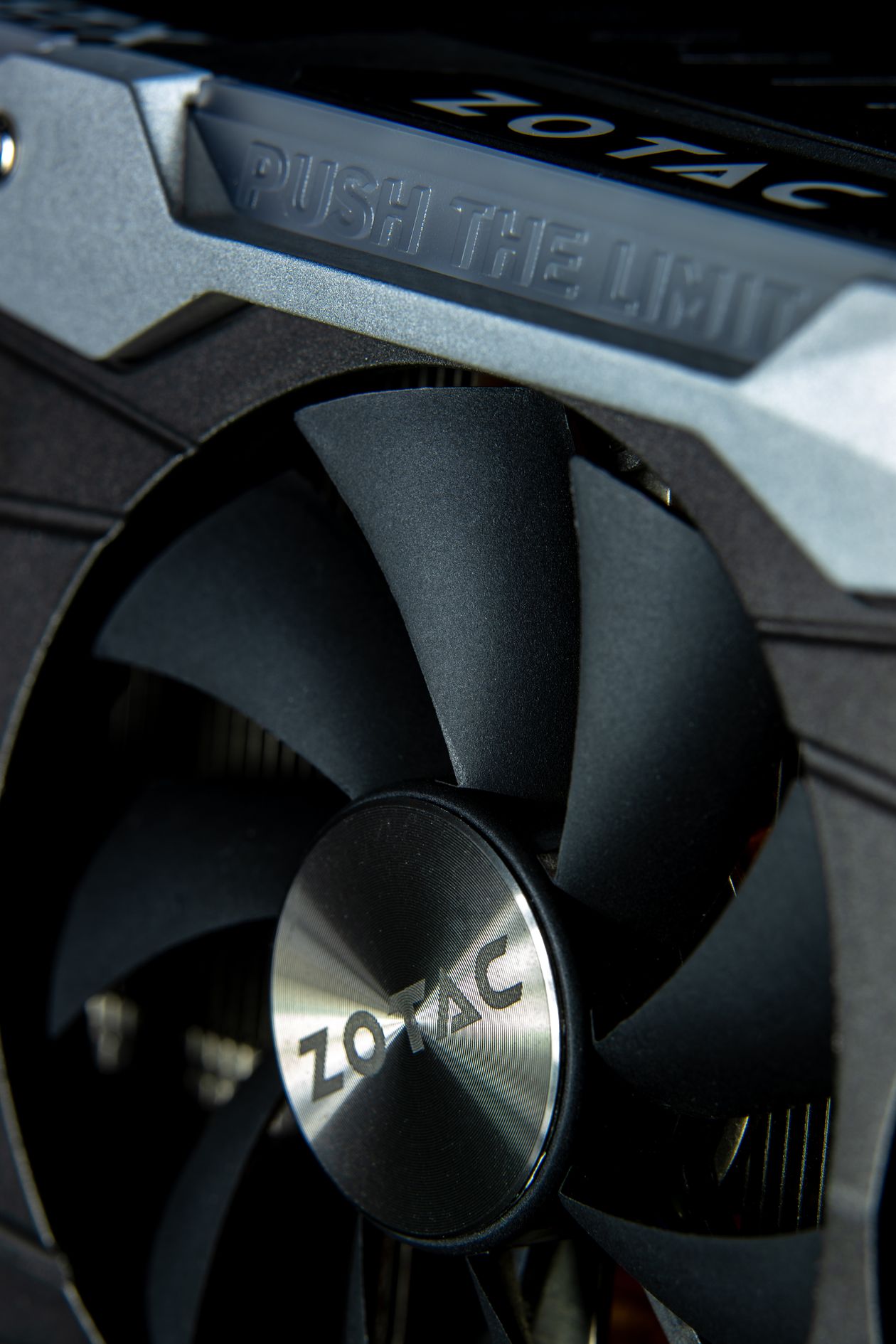
Photo: Pexels free use.
On September 4, 2026, TechPowerUp reported that Hardware Unboxed recorded 175C on an RTX 5090 12V power connector during testing, with visible heat damage on the plug housing. The card pulled its rated load near 575W through a single 12V-2x6 cable. The report reignited the 12VHPWR melt debate that started in 2022 with the RTX 4090, continued through RTX 5090 launch reports in early 2025, and now returns as Intel Nova Lake-S dual tile leaks point to 474W peak platform power for unlocked CPUs. This guide covers what failed, how 12VHPWR differs from 12V-2x6 under ATX 3.1, full power specs for RTX 5090, RTX 5080, and Nova Lake-S, the three root causes of melts, a safe install checklist, which 850W, 1000W, and 1200W PSUs to buy, cable rules, warning signs, predictions for late 2026, and eight FAQ answers.
Table of Contents
- 1. What Happened September 4: Hardware Unboxed 175C Reading Explained
- 2. Power Specs At A Glance: RTX 5090 575W, RTX 5080 360W, Nova Lake 474W
- 3. 12VHPWR Vs 12V-2x6: What ATX 3.1 Actually Changed
- 4. Cause One: Incomplete Seating And The Zero Gap Rule
- 5. Cause Two: Bend Pressure, Side Load, And Tight Cases
- 6. Cause Three: Current Imbalance Across Six 12V Pins
- 7. Safe Install Checklist: 10 Steps Before First Power On
- 8. PSU Picks For 2026: 850W For 5080, 1000W Plus For 5090
- 9. Cables Compared: Native 12V-2x6 Vs 4x8 Pin Adapter Vs Third Party
- 10. Warning Signs: Smell, Color, Temps, And What To Do Fast
- 11. Predictions For Late 2026 And 2027: Connectors, PSUs, And GPU Power
- 12. FAQ: Eight Answers On Temps, Warranty, ATX 3.1, And Upgrades
1. What Happened September 4: Hardware Unboxed 175C Reading Explained
TechPowerUp summarized Hardware Unboxed test data on September 4, 2026 showing a GeForce RTX 5090 12V connector reaching 175C under sustained load. The reading came from a thermal probe at the plug shell near the GPU socket. The cable showed softening and discoloration. The card continued to run during the test because load was spread unevenly and protection did not trip in time. Hardware Unboxed noted the plug was installed per standard guidance, which is why the result drew wide coverage. A fully seated plug still ran hot enough to deform plastic.
Context matters. The RTX 5090 carries a 575W total graphics power rating from Nvidia. Board partner cards with factory overclocks list 600W to 650W limits in software. Reviewers routinely log 560W to 590W at the wall for the GPU alone during 4K ray tracing loops, plus CPU, fans, storage, and losses. A single 12V-2x6 connector is rated to deliver 600W sustained when all contacts share load evenly. That leaves almost no margin on a 575W card. Any uneven contact raises current on the remaining pins and heat rises with the square of current. A 20 percent imbalance can push one pin pair well past its design point while total board power looks normal.
This is not the first melt wave. RTX 4090 adapters melted in late 2022, traced largely to partial insertion and side stress. PCI SIG revised the connector to 12V-2x6 with shorter sense pins and longer power pins, shipped under ATX 3.1, and Nvidia moved to the revised plug on RTX 50 series. Early RTX 5090 melt reports in February 2025 involved third party cables, adapters, and uneven loading. Der8auer, Buildzoid, and other testers showed 20A to 30A on single wires where 8A to 10A was expected. Nvidia stated at the time that sampling showed a small number of cases relative to units shipped. The September 2026 Hardware Unboxed result is notable because it was captured with thermal data on video, at 175C, on current hardware, using guidance that most buyers already follow.
The timing amplifies concern. Intel Nova Lake-S leaks in August and September 2026 describe a dual tile desktop part with 52 cores and peak turbo power near 474W for unlocked configurations. AMD Zen 6 leaks point to higher core counts with lower peak power but still above 200W on top SKUs. DDR5 prices rose sharply through summer 2026, pushing more builders toward high wattage reuse of older PSUs. A builder pairing a 575W RTX 5090 with a 250W to 474W CPU can face 850W to 1050W of combined CPU plus GPU draw before fans, pumps, drives, and USB loads. That stack forces a hard look at 1000W minimums, native cables, case clearance, and inspection habits. The rest of this guide gives exact numbers and steps.
2. Power Specs At A Glance: RTX 5090 575W, RTX 5080 360W, Nova Lake 474W
Nvidia lists the GeForce RTX 5090 Founders Edition at 575W total graphics power, with a 1000W system PSU recommendation and a native 12V-2x6 input or included adapter fed by four 8 pin plugs. The card uses 32GB of GDDR7 on a 512 bit bus. Boost clocks sit above 2.4 GHz. Real gaming draw in 4K with ray tracing and DLSS Quality lands between 480W and 575W depending on title, with spikes to 600W on partner cards that raise the power limit. Stress tests with FurMark style loads or path traced Cyberpunk 2077 at 4K can pin the card at the limit for minutes. That sustained heat is what cooks a weak contact.
The GeForce RTX 5080 is far less extreme. Nvidia rates it at 360W total graphics power, with 16GB GDDR7 on a 256 bit bus and an 850W system PSU recommendation. Gaming draw usually lands between 280W and 340W. Spikes stay under 400W in most reviews. That 215W gap versus the 5090 changes connector stress in a major way. A 360W load through a 600W rated plug runs at 60 percent of rating, which tolerates mild imbalance. A 575W load runs at 96 percent of rating, which tolerates almost no imbalance. This is why melt reports cluster on 5090 and 4090 class cards and rarely involve 5070, 5080, or 9070 XT class cards at the same rate.
CPU power adds the second half of PSU math. Intel Nova Lake-S leaks describe three groups. The flagship dual tile part is described as 16 performance cores plus 32 efficiency cores plus 4 low power cores for 52 total cores, with PL2 or peak turbo power listed in leaks at 409W to 474W depending on board limits. The single tile 28 core part is listed near 250W peak. Locked 65W parts will run far lower in gaming, often 150W to 220W in real loads. These are leaks, not Intel spec sheets, reported via Benchlife, VideoCardz, and leaker posts through August 2026. Treat 474W as a worst case unlocked all core spike, not a gaming average. Gaming on Nova Lake-S will likely draw 120W to 250W in most titles, with spikes during shader compile and background tasks.
AMD Zen 6 desktop leaks point to 12 to 24 cores on AM5 with higher boost but similar socket power behavior to Zen 5, roughly 170W to 230W peak on top SKUs. Intel Arrow Lake and Raptor Lake unlocked parts already showed 250W to 350W spikes in 2024 and 2025, so high peak CPU power is not new. What is new in fall 2026 is the combination of a 575W GPU plus a 400W class CPU spike on the same 12V rail system, in cases with tempered glass 30mm from the GPU plug. Table 1 below puts the key numbers in one place for PSU sizing. Use sustained gaming draw for heat planning and peak spikes for PSU trip planning. Both matter, for different reasons.
Table 1: GPU And CPU Power Specs Relevant To 12V Connector Load, September 2026
| Part | Rated Board Power | Real Gaming Draw | Connector Input | Nvidia Or Leak PSU Guidance |
|---|---|---|---|---|
| RTX 5090 FE | 575W TGP | 480W to 575W, 600W plus on OC models | 1x 12V-2x6, 600W rated | 1000W system minimum |
| RTX 5090 partner OC | 600W to 675W limit | 550W to 620W sustained in 4K RT | 1x 12V-2x6, some with dual plug or higher limit BIOS | 1000W to 1200W recommended |
| RTX 5080 | 360W TGP | 280W to 340W | 1x 12V-2x6 or 3x 8 pin on some models | 850W system minimum |
| RTX 4090 reference | 450W TGP | 380W to 450W | 1x 12VHPWR, 600W rated | 850W system minimum |
| Nova Lake-S 52 core leak, unlocked | 474W peak, leaks | 120W to 250W gaming, 350W plus all core | 2x 8 pin EPS from PSU | 1000W plus if paired with 5090 |
| Nova Lake-S 28 core leak | 250W peak, leaks | 100W to 180W gaming | 1x to 2x 8 pin EPS | 850W to 1000W with 5090 |
| Zen 6 top leak | 200W plus peak, leaks | 90W to 160W gaming | 1x to 2x 8 pin EPS | 850W to 1000W with 5090 |
Takeaway from the table is simple. RTX 5080 plus any mainstream CPU fits a quality 850W ATX 3.1 unit with headroom. RTX 5090 plus any high core CPU needs 1000W minimum and 1200W is safer for unlocked boards, custom loops, and hot rooms. Nova Lake 474W does not add directly to GPU cable heat, since CPU power uses separate EPS cables, but it decides PSU shutdown behavior and 12V rail stability. A PSU that can hold GPU spikes without tripping is as important as the plug temp itself.
3. 12VHPWR Vs 12V-2x6: What ATX 3.1 Actually Changed
12VHPWR launched with ATX 3.0 in 2022 as a 16 pin plug with 12 power pins plus 4 sense pins. It packed 600W into a footprint smaller than two old 8 pin plugs. The design relied on all six 12V pairs sharing current evenly, about 8.3A per pin at 600W and 12V. Sense pins told the GPU how much power the cable allowed: 150W, 300W, 450W, or 600W. Problems appeared fast. Plugs that looked seated could sit 1mm to 2mm short of full insertion. The latch would click while contacts still had higher resistance. Resistance creates heat at high current. A small gap plus 40A to 50A total draw cooked housings.
12V-2x6 is the revised plug under ATX 3.1. The housing looks the same at a glance and mates with the same socket shape, but internal lengths changed. Power pins grew longer by about 1.7mm. Sense pins grew shorter by about 1.5mm. That shift means the GPU only reads full 600W capability when the plug is pushed fully home. A shallow plug reads lower power or fails to boot, which forces the user to reseat. The spec also tightened contact spring force and durability ratings. PSU vendors added the new connector as a native 12 plus 4 cable with a 12V-2x6 mark on the plug. Most RTX 50 cards ship with 12V-2x6 sockets on the card side.
ATX 3.1 also changed PSU testing. Units must handle 200 percent load spikes for short durations on GPU rails, hold up time through dips, and report PCIe power with new excursion tables. A compliant 1000W ATX 3.1 unit must survive GPU spikes to 2000W for 100 microseconds and high slew rates without shutting down or drifting out of voltage spec. Older ATX 2.53 units were not tested to that profile. That is why guidance now stresses native ATX 3.1 PSUs for 5090 builds rather than reuse of a 2019 1000W unit plus an adapter. The old unit may have the watts on paper but not the transient response or the revised plug geometry.
Limits remain. 12V-2x6 still routes up to 50A through one small housing when a 5090 runs at 600W. Six 12V pins share that load with no per pin current balancing inside the GPU. Most cards tie all six inputs to a common rail after small shunt stages. If one pin has higher contact resistance, current shifts to the other five. Heat follows current squared, so a pin carrying 12A runs about twice as hot as a pin carrying 8.5A for the same contact quality. The revision reduced the chance of shallow insertion but did not add active per pin monitoring on most cards. Only a few models from Zotac, MSI, and Galax added per pin sense or dual plug designs that alarm or shut down on imbalance. Those features are the exception, not the rule, as of September 2026.
4. Cause One: Incomplete Seating And The Zero Gap Rule
Partial insertion is still cause number one in repair shop reports. The plug must sit flush with no visible gap between plug body and socket shroud. On 12V-2x6 the latch should click and the plug face should touch the socket face across the full width. Shops report many melted plugs with a 0.5mm to 1.5mm gap on one side, often the latch side lifted by cable tension. The card posts and games for weeks because enough contact exists to pass current, but resistance at the lifted pins runs high. Heat builds over thermal cycles as the housing softens and contact loosens further.
Why does this happen so often. Cases got narrower while cards got thicker. A 5090 Founders Edition is 3 slots plus cables. Many mid towers leave 25mm to 35mm between GPU side and glass. The native cable exits straight out then must turn hard to clear the panel. That turn lifts the rear edge of the plug. Dust, paint thickness on the shroud, and stiff new wires add friction that feels like a full seat before it is full. Users push until the latch clicks, see no error, close the panel, and never check again. Three months of heat cycles finish the job.
The fix is mechanical and free. Push with thumb pressure on the center of the plug, not the wires, until the seam disappears. Look from the side with a flashlight. If a business card slides into the seam, it is not seated. Pull the side panel and recheck after 10 heat cycles, about one week of normal gaming. Repush after moving the PC. Any transport, even a car ride to a LAN, can walk the plug out by a fraction of a millimeter. Photograph the seam on day one for warranty records. Shops and RMA teams now ask for that photo because it separates install faults from part faults.
Sense pins help but do not guarantee safety. A plug seated enough to read 600W can still have uneven pressure across the six power pairs. The sense circuit is binary: it reads allowed power, not per pin resistance. Do not treat a normal boot and normal power limit as proof of even contact. Only visual zero gap plus low and even wire temps prove the connection. A 10 dollar infrared thermometer aimed at each wire 20mm from the plug tells more than any software readout. Wires should sit within a few degrees of each other after 10 minutes of load. A single hot wire is a reseat signal even if the game runs fine.
5. Cause Two: Bend Pressure, Side Load, And Tight Cases
Bend pressure is cause number two and it stacks with seating faults. The spec calls for at least 35mm of straight cable before any bend, measured from the plug face. Many builds violate that on day one because the glass panel forces a 90 degree turn at 20mm. Constant side load tilts contacts inside the housing. Tilt raises resistance on the tension side and lowers wiping force. Vibration from fans then frets the contact surface, adding oxide and micro arcs. Each gaming session adds a small increase in resistance that never reverses on its own.
Case choice decides this more than cable brand. Cases under 210mm wide with a 4 slot 5090 leave almost no room for a straight exit. Vertical GPU mounts can help by turning the plug to face up or down, but cheap risers add signal issues and some mounts press the cable against the motherboard tray. The safest layouts are wide towers with 40mm plus cable clearance, cases with a recessed glass bulge, or open benches for test runs. Before buying a 5090, measure from GPU socket face to side panel with the card installed. If the number is under 35mm, budget for a 90 degree angled adapter from the GPU vendor, a wider case, or a different card with a recessed socket.
Angled adapters need care. Early 90 degree and 180 degree adapters from third parties in 2023 and 2024 had their own melt reports due to thin internal bus bars and poor tolerances. Vendor supplied or PSU maker supplied angled 12V-2x6 adapters with clear 600W ratings and temperature ratings perform better, but they still add a second contact joint. Every joint adds resistance. The best path is a native cable with a factory 90 degree plug end, one joint at the GPU, no mid adapter, routed with slack and tied so weight does not pull down on the plug. Support the cable with a Velcro anchor to the case frame so gravity and fan vibration do not load the plug.
Ambient heat multiplies bend faults. A plug in a 45C case pocket near a 80C backplate runs hotter at the same current than the same plug in a 32C pocket with direct airflow. Small form factor builds with a 5090 and a 14900K or Nova Lake unlocked part can trap heat around the plug even with good fans. Route the 12V cable away from exhaust streams, keep a 120mm fan blowing across the plug zone if the case allows, and cap room temp expectations. A 5C rise in intake air can add several degrees to contact temps at 50A. Summer rooms without air flow explain part of the September timing of this wave.
6. Cause Three: Current Imbalance Across Six 12V Pins
Even a straight, flush plug can run hot if current splits unevenly. Ideal split at 575W and 12V is about 8A per 12V pin across six pins, about 48A total. Lab tests on melted setups often show 4A on two pins and 12A to 15A on others. Causes include tolerance spread in contact springs, uneven solder joints on the card or cable, one wire crimped tighter than the rest, and oxidation on a single pin from handling. Total power at the GPU shunt still reads normal because the sum is correct. Only per wire current or per wire temp reveals the skew.
Cable construction affects balance. A native PSU cable uses six 16 AWG wires from PSU to plug, each with its own crimp and pin. A 4x8 pin adapter joins four 12V sources into six outputs through splices inside a molded block. If one 8 pin input sags under load or one splice has higher resistance, the remaining paths carry more. Daisy chained 8 pin pigtails make this worse by feeding two inputs from one PSU port. Third party extension cables add another crimp pair per wire. Each extra joint widens the tolerance stack. Native cables have the fewest joints and the most even splits in tester data through 2025 and 2026.
GPU board design also matters. Most 5090 boards join the six 12V inputs to a common plane with minimal per pin resistance to force sharing. That is cheap and compact but blind. A few premium models add individual shunts or temperature probes per group and trigger a warning or shutdown on skew. MSI Afterburner and GPU Z cannot show per pin current on most cards because the hardware lacks the sensors. External clamp meters or inline shunt blocks from testers like Der8auer remain the only direct way to see split on standard cards. For buyers, the practical filter is to favor cards with documented imbalance protection if the price gap is small, and to assume no protection on Founders and base MSRP models.
Age and cycles add drift. Each mate cycle wears contact plating. Each heat cycle relaxes spring force a fraction. A cable reseated 20 times for reviews will not share as evenly as a new cable seated once and left alone. Do not swap one cable across three test cards for fun on a 575W GPU. Dedicate one native cable to one card, seat it once, check temps, then leave it. Replace any cable that shows color shift, soft spots, or a loose latch. A 30 dollar cable is cheaper than a 1999 dollar GPU RMA fight.
7. Safe Install Checklist: 10 Steps Before First Power On
Use these steps on any RTX 5080 or 5090 build, new or moved. They take 20 minutes and remove most melt risk. Work with the PSU off and unplugged. Touch the case frame to drain static. Keep the side panel off until testing is done.
Step 1: Confirm ATX 3.1 on the PSU label. Look for ATX 3.1 and PCIe 5.1 marks plus a 12V-2x6 cable in the box. If the box says ATX 2.53 only, stop and upgrade for 5090 use. For 5080 use, an older 850W unit with a vendor adapter can work, but native is still preferred.
Step 2: Pick one native 12V-2x6 cable from that PSU maker. Do not mix cables between brands. Pinouts at the PSU end are not standard. A Corsair cable in a Seasonic PSU can short rails. Use only the cable that shipped with that exact model or a replacement ordered by exact model number.
Step 3: Inspect both ends with light. Pins should sit even, springs should look centered, housing should have no flash or bent walls. Smell for prior heat. Any brown tint, warped latch, or loose pin means discard the cable.
Step 4: Plug PSU end first, route with slack, anchor to frame. Leave 35mm straight at the GPU end. No sharp turn at the plug. No weight hanging on the plug. Velcro tie 100mm back so the plug floats neutral.
Step 5: Seat GPU end with thumb pressure on plug body. Push until seam is zero. Listen for latch click, then push again 1mm more and check seam from both sides. Photo the seam.
Step 6: Confirm four 8 pin feeds if using the included adapter. Each 8 pin must come from its own PSU port on its own wire. No pigtails, no daisy chain, no SATA to 8 pin hacks. The adapter block should hang free, not press on glass.
Step 7: Clear the panel. Close the side panel slowly while watching cable clearance. If glass touches or bends the cable inside 35mm, stop and change case, mount, or angled plug. Do not force the panel.
Step 8: Power on and set a 10 minute load test. Use a 4K ray traced game or 3DMark Steel Nomad loop, not desktop idle. Aim an IR thermometer at each of the six wire entries 20mm from the plug. Note temps. Even and under 60C on the shell in a normal room is a good sign. Any wire 15C above the rest is a stop and reseat signal.
Step 9: Recheck after one week. Pull the panel, photo the seam, push the plug again, remeasure temps. Heat cycles settle housings. A plug that moved needs a routing fix, not just a push.
Step 10: Log and schedule. Save day one photos, PSU model, cable serial if marked, and temp notes. Recheck monthly on 5090 builds, quarterly on 5080 builds, and after any move. If you lend the PC or ship it, pull the GPU or repack with foam and reseat on arrival.
Skip no step on 5090. On 5080, steps 8 and 9 still apply but temps will run lower and tolerance is wider. New builders should practice seating with the card outside the case first to feel full insertion force. The force is higher than old 8 pin plugs and surprises many first time installers into stopping short.
8. PSU Picks For 2026: 850W For 5080, 1000W Plus For 5090
Buy ATX 3.1 with native 12V-2x6, 80 Plus Gold or better, 10 year warranty, and independent reviews showing clean transient response. Wattage follows GPU first, CPU second. RTX 5080 builds fit 850W. RTX 5090 builds start at 1000W. Unlocked Nova Lake or i9 plus 5090, custom water loops, or hot rooms call for 1200W. Do not size by average watts alone. Size by spikes plus capacitor age plus fan noise targets. A PSU at 70 percent load runs cooler and quieter than the same unit at 95 percent.
For RTX 5080 at 360W, a quality 850W ATX 3.1 Gold unit gives about 490W headroom for CPU, board, and spikes. That covers a 250W CPU spike plus 150W system with margin. Good picks include Corsair RM850x Shift or RM850e ATX 3.1, Seasonic Focus GX 850 ATX 3.1, MSI MPG A850G PCIE5, and Thermaltake Toughpower GF3 850W. All ship native 12V-2x6 cables rated 600W. Expect quiet fans under gaming load and no shutdowns on 5080 spikes. Reuse of a solid ATX 2.53 850W unit is acceptable here with the GPU vendor 3x8 pin adapter if budgets are tight, but native is cleaner.
For RTX 5090 at 575W, start at 1000W ATX 3.1. Strong options include Seasonic Vertex GX 1000, Corsair RM1000x Shift ATX 3.1, MSI MEG Ai1000P PCIE5, Be Quiet Dark Power 13 1000W, and Thermaltake Toughpower GF3 1200W if priced near 1000W units. For unlocked Intel builds, dual tile Nova Lake leaks, or overclocked partner 5090 cards with 600W limits, step to 1200W: Seasonic Vertex GX 1200, Corsair HX1200 ATX 3.1, MSI MEG Ai1300P, or Enermax PlatiGemini 1200W. The 200W step costs little and drops noise while adding trip headroom for simultaneous CPU plus GPU spikes.
Avoid no name 1000W units, old group regulated designs, and any unit without a reviewed transient test. Check Hardware Busters, Tomshardware, TechPowerUp, and Cybenetics reports for the exact model, not the brand family. A Gold unit with strong transients beats a Platinum unit with weak 12V hold up for this use. Keep the PSU fan filter clean and mount fan down on carpet stands with clearance. Heat ages capacitors and raises trip risk over time.
Table 2: PSU Sizing Guide By GPU And CPU Pair, September 2026
| Build | Minimum PSU | Recommended PSU | Cable Rule | Notes |
|---|---|---|---|---|
| RTX 5080 plus 65W to 125W CPU | 750W ATX 3.1 | 850W Gold ATX 3.1 native | Native 12V-2x6 | Quiet, cool, wide margin |
| RTX 5080 plus i9 or X3D plus many drives | 850W ATX 3.1 | 1000W Gold | Native 12V-2x6 | Covers spikes and fans |
| RTX 5090 plus 65W to 150W CPU | 1000W ATX 3.1 | 1000W to 1200W Gold or Platinum | Native 12V-2x6, no pigtails | Nvidia minimum, check case clearance |
| RTX 5090 plus unlocked i9, X3D OC, or Nova Lake 28 core | 1000W ATX 3.1 | 1200W ATX 3.1 | Native, dedicated cable | Best noise and trip margin |
| RTX 5090 OC 600W plus Nova Lake 52 core leak | 1200W ATX 3.1 | 1300W to 1600W | Native, one cable per plug | Peak spikes can exceed 1000W combined |
Price context for September 2026: quality 850W ATX 3.1 Gold units sit near 129 to 159 dollars. Quality 1000W units sit near 179 to 229 dollars. 1200W units sit near 229 to 299 dollars. DDR5 price spikes make PSU reuse tempting, but a 50 dollar saving is false economy under a 5090. If funds are tight, cut RGB, fans, or storage first and keep PSU quality.
9. Cables Compared: Native 12V-2x6 Vs 4x8 Pin Adapter Vs Third Party
Native 12V-2x6 from the PSU maker is the best option. One plug at the GPU, one modular plug at the PSU, six continuous 16 AWG wires, sense lines wired to spec, 600W rating printed on the housing. Fewest joints, best balance, cleanest routing. Every major ATX 3.1 PSU ships at least one. High wattage units ship two. Use the stiff new cable for a week; it softens with heat and routes easier after the first reseat check.
The in box 4x8 pin adapter is second best and safe when fed correctly. Nvidia includes a 4x8 pin to 12V-2x6 block with Founders and many partner cards. Each 8 pin leg must go to its own PSU port on its own cable. That gives four 150W feeds for 600W total. Do not use two ports plus pigtails. Do not power two legs from one daisy chain. Keep the block away from glass and sharp bends. The block adds bulk near the plug, so it needs more clearance than a native cable. Replace a frayed or heat marked adapter at once through the GPU vendor.
Third party extensions, combed custom cables, and cheap angled adapters rank last for 5090 loads. Quality varies widely. Some use thin 18 AWG wire, weak crimps, or mixed metals that raise resistance. Custom sleeved sets from CableMod, ModDIY, and similar makers can be safe if ordered by exact PSU model and 16 AWG spec, but each extension adds two more crimps per wire. Tester data shows wider current spread on extension chains than on native runs. If looks matter, order a full replacement set wired for that PSU, not a plug in extension, and still run the temp check in Section 7.
Length matters. Short 300mm cables in small cases pull tight. Long 800mm cables coiled behind the tray add voltage drop but negligible heat if gauge is correct. Sweet spot for mid towers is 600mm to 750mm with a gentle service loop tied to the frame. Keep 12V GPU wires away from EPS CPU wires and SATA power where possible to simplify tracing and avoid misplugs. Label PSU ends with tape on first build. Misplugged modular cables remain a top killer of boards and drives, separate from melt risk but just as final.
10. Warning Signs: Smell, Color, Temps, And What To Do Fast
Plastic has a smell before it fails. A sweet or chemical odor near the GPU under load, distinct from new PC smell, is a stop signal. Power down, unplug, pull the panel, and inspect the plug in good light. Look for browning on the housing, gloss change from matte to shiny, soft edges on the latch, or white stress marks near wire entries. Feel for looseness. A plug that rocks side to side with light finger pressure was not anchored or seated well. Photo everything before touching, for RMA.
Color and shape tell history. Light tan tint on one pin slot points to chronic heat on that wire. Dark brown or black points to acute overheat. Melted latch plastic that sticks to the socket means temps passed 150C. Hardware Unboxed 175C reading sits above the softening point of common housing plastics, which start to deform near 150C to 180C depending on blend. If the plug comes out with pins discolored blue or gold shifted to dull gray, the contact overheated and annealed. Do not reuse that cable or that card socket without vendor inspection.
Temps give early warning before visible damage. After 10 minutes of 4K load, touch test with IR, not fingers. Shell temps above 70C in a 22C room deserve a reseat and routing fix. Shell above 85C means stop use until fixed. Any single wire more than 15C hotter than its neighbors means imbalance. Software GPU hotspot temps do not track plug temps. A card can report 78C core and 95C hotspot while the plug runs 120C, because the plug sits outside the cooler loop. Only direct measurement at the plug catches this.
If damage is found, act in order. Power off, switch PSU off, unplug wall, wait 5 minutes. Photo plug, socket, cable routing, and PSU label. Unplug GPU cable straight out, no wiggle. Inspect card socket pins with flashlight. If socket shows melt, stop and contact the card vendor and retailer with photos and purchase proof. Do not scrape, file, or spray contacts. If socket looks clean and only the cable shows heat, replace the cable with a new native unit, fix routing and clearance, then retest with temps logged. File warranty claims early. Most vendors cover melt on stock cables and stock adapters with photos and proof of correct feed, but third party cables shift liability and slow claims.
11. Predictions For Late 2026 And 2027: Connectors, PSUs, And GPU Power
Expect three shifts by mid 2027. First, per pin monitoring will move from niche to common on high end cards. MSI, Zotac, and Galax already tested alarm and shutdown logic tied to imbalance. Once one vendor markets melt proof sensing as a feature and backs it with warranty terms, others will follow on 600W class SKUs. Nvidia can force this faster by adding imbalance detection to reference board requirements for any card above 450W. That single rule would do more than another housing tweak.
Second, PSU makers will ship more native 90 degree 12V-2x6 cables and dual plug 5090 tuned units. The 35mm straight run rule conflicts with narrow glass trends. A factory molded 90 degree plug with full 16 AWG and 600W rating solves clearance without adding a second joint. Seasonic, Corsair, and Be Quiet already list angled options for some models. Expect those to land in the box as standard on 1000W plus units by spring 2027. Also expect clearer labeling: 600W plug marks, temp ratings, and no pigtail warnings printed on the cable itself.
Third, GPU power will split. RTX 5080 class and below will hold near 320W to 400W becausecoolers, cases, and PSUs all prefer it. RTX 5090 class and the next Titan tier will stay near 575W to 675W for halo performance, paired with explicit 1200W guidance and dual plug designs on some partner cards. Dual plugs halve per plug current and largely end melt risk, at the cost of bulk and board space. If Nova Lake 52 core ships near 400W plus peak, Intel and board vendors will push 1200W as the default enthusiast PSU, and 850W will be marketed as mainstream only. DDR5 price pressure may slow upgrades enough that PSU vendors compete on 10 year warranties and transient scores rather than watts alone.
Regulatory and warranty pressure will also grow. If melt claims rise through fall 2026, expect vendors to require photo proof of zero gap seating plus native cable use for fast RMA, and to deny claims with mixed brand modular cables outright. That stance is already common in support scripts. Buyers should keep boxes, cable bags, and receipts until warranty ends. For builders on the fence, the safe 2026 move is 5080 plus 850W native for 4K gaming without plug anxiety, or 5090 plus 1200W native with monthly checks for max performance with eyes open.
12. FAQ: Eight Answers On Temps, Warranty, ATX 3.1, And Upgrades
Is 175C on the plug normal for RTX 5090?
No. Normal shell temps after 10 minutes of gaming sit near 45C to 65C in a vented case at 22C room temp. 100C signals a fault. 150C softens housing plastic. 175C as logged by Hardware Unboxed and reported by TechPowerUp on September 4, 2026 is failure territory with visible damage. Any reading above 85C on the shell or any wire 15C above the rest means power down, reseat, fix routing, and retest.
Does 12V-2x6 fix 12VHPWR melts?
It lowers risk but does not end it. Shorter sense pins force fuller insertion before 600W is allowed, and stronger springs hold contact better. That cuts shallow plug faults. It does not add per pin current balancing on most cards, so imbalance from tolerances, bends, or worn contacts can still overheat one wire at 575W. Treat 12V-2x6 as safer hardware that still needs zero gap seating, 35mm straight run, and temp checks.
Is my RTX 5080 at risk on the same plug?
Risk is far lower. 360W through a 600W plug runs at 60 percent rating with headroom for mild skew. Follow the same seating and routing rules, use a native cable, and check temps once. Monthly checks are prudent but not critical as on 5090. Most 5080 melt reports to date trace to pigtails, mixed cables, or forced glass bends, all preventable.
Do I need ATX 3.1 for RTX 5090, or will my old 1000W work?
Buy ATX 3.1 for 5090. Older 1000W units lack the 200 percent spike tests, the native 12V-2x6 plug, and the tuned 12V response that ATX 3.1 requires. An old unit plus adapter can boot and game, but trip risk and plug heat rise. For 5080, a good older 850W unit with vendor adapter is acceptable if transients tested clean. For 5090 plus Nova Lake leaks at 400W plus peaks, 1000W ATX 3.1 is the floor and 1200W is the smart buy.
Native cable or 4x8 pin adapter, which is safer?
Native is safer: fewer joints, better balance, less bulk. The in box 4x8 pin adapter is safe if each leg gets its own PSU port and cable, with no daisy chains. Third party extensions and cheap angled blocks add joints and spread and should be avoided on 5090 unless ordered by exact PSU model in 16 AWG and temp tested. One dedicated cable per card, seated once, wins every test.
Will a melt void my GPU warranty?
Not automatically. Vendors approve RMAs for stock cable and stock adapter melts with proof of purchase, photos of routing, and correct PSU feeds. Mixed brand modular cables, SATA adapters, physical mods, or missing photos slow or deny claims. Keep day one seating photos, PSU model records, and cable bags. Contact retailer plus vendor at the first sign of browning; continued use after visible damage hurts claims.
How do Nova Lake 474W leaks change PSU math?
They raise peak system spikes, not GPU plug heat. CPU power uses separate EPS cables. A 575W GPU plus 474W CPU spike plus 100W system can trip a weak 1000W unit even if averages look fine. Gaming averages will be lower, likely 600W to 750W wall for the full system, but PSUs trip on peaks. Pair 5090 with unlocked high core CPUs on 1200W ATX 3.1. Pair 5080 with the same CPUs on 850W to 1000W. These leak numbers are unconfirmed as of September 7, 2026; size for spikes and you stay safe if leaks prove high.
Should I buy now or wait for new connectors in 2027?
Buy the PSU now if building now; wait on GPU only if use allows. ATX 3.1 1000W and 1200W units will carry into 2027 builds and already include revised plugs. Per pin sensing cards and factory 90 degree cables will broaden by spring 2027 but no new plug standard is confirmed. If you need 4K max today, buy 5090 plus 1200W native and follow Section 7. If plug anxiety or DDR5 prices bother you, buy 5080 plus 850W native and skip monthly checks. Revisit halo GPUs once sensing becomes standard.
Sources: TechPowerUp September 4, 2026 report on Hardware Unboxed 175C RTX 5090 connector test; Nvidia RTX 5090 575W and RTX 5080 360W specs and PSU guidance; Intel Nova Lake-S 52 core 474W and 28 core 250W leaks via Benchlife, VideoCardz, and board partner posts August to September 2026, unconfirmed; PCI SIG ATX 3.1 and 12V-2x6 spec notes; PSU reviews via Cybenetics, Hardware Busters, Tomshardware, TechPowerUp.
Related reading: Game Pass Bundle Tracker for holiday code prices if rising PC part prices push you toward console plus cloud this fall. September 2026 GPU Prices for live RTX 5090, RTX 5080, and RX 9070 XT street prices before you pick 850W or 1000W PSU size.