
The Witcher 3 on Switch 2 Has Four Playstyles, a Mouse Sensor and Motion Controls. Here Is What Each One Does
Monday, September 28, 2026By Indie Kings | September 28, 2026
Updated September 28, 2026: The Witcher 3 Remastered launches on Switch 2 tomorrow with what is, by a wide margin, the most elaborate controller feature set the series has ever shipped: four playstyles, a motion control system with two modes, a mouse sensor with two modes and three control schemes, gyroscope aiming in three of the four playstyles, touch input in five distinct contexts, Joy-Con 2 HD Rumble, VRR and HDR, and a dedicated motion tutorial replayable from two places in the menu. This site has eighty-nine Switch 2 posts and not one about controls, so this is a full reference assembled from CD Projekt Red's own changelog rather than from first impressions.
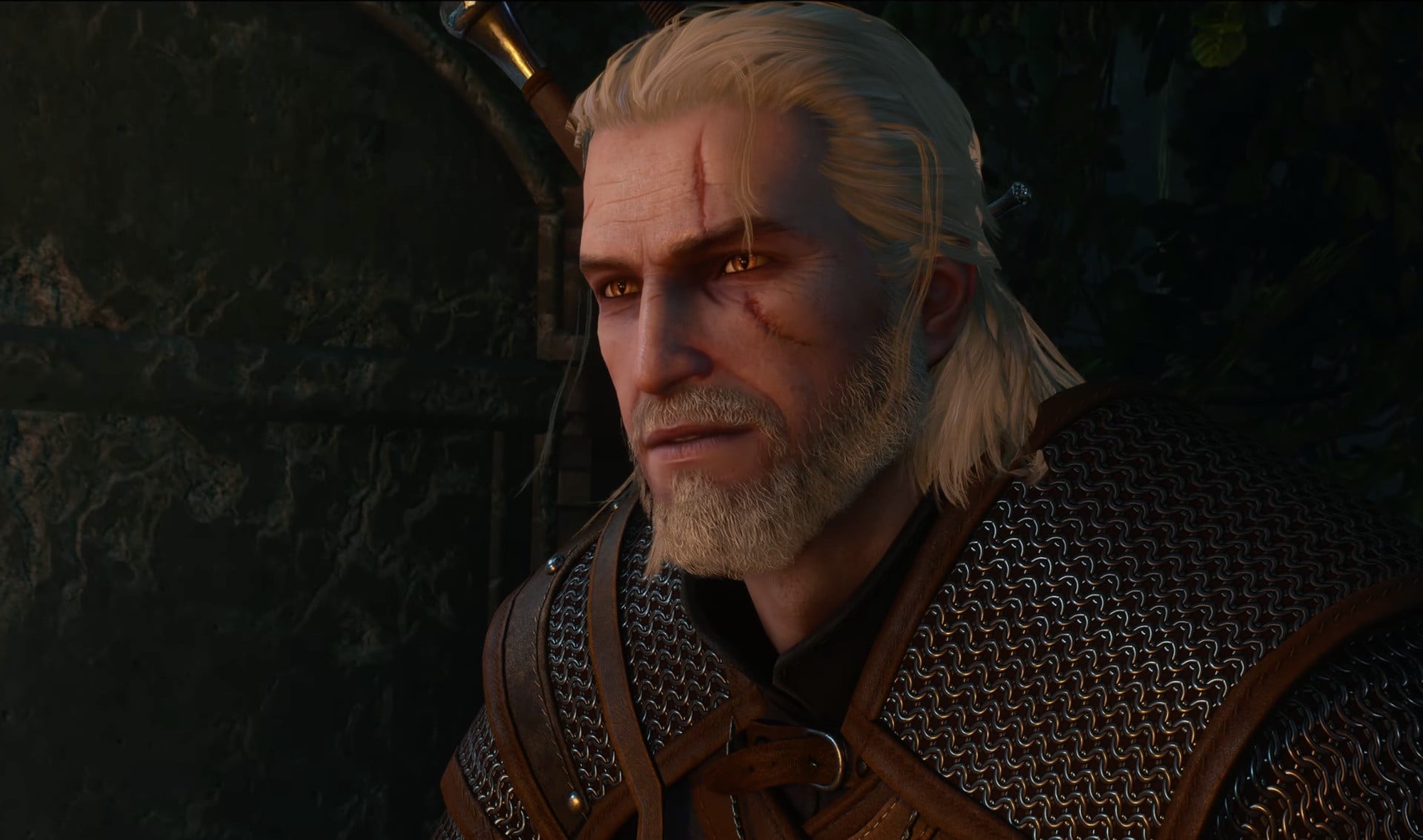
Image: The Remastered on Switch 2. Credit: Nintendo Life.
The four playstyles, and which features each supports
CD Projekt Red names four playstyles, and the list is not four presets so much as four different physical postures the game has been taught to recognise.
The four are Handheld, Pro Controller, Dual Grip using Motion Controls, and Mouse Sensor. That is the complete list from the changelog, and the first three correspond to how you would actually hold the console, while the fourth is a distinct input method that only exists because the Joy-Con 2 can be turned sideways.
The useful thing about the changelog is that it states which features work in which playstyle, and the omissions are as informative as the inclusions. Gyroscope aiming is supported in Handheld, Pro Controller and Dual Grip. It is not listed for Mouse Sensor, which is the one design decision in the whole feature set that can be read straight from the list without speculation.
| Feature | Handheld | Pro Controller | Dual Grip, motion | Mouse Sensor |
|---|---|---|---|---|
| Gyroscope aiming | Supported | Supported | Supported | Not listed |
| Motion control patterns | Useable | Useable | Named as the playstyle | Not the basis of the mode |
| Mouse sensor | Mode selectable | Mode selectable | Mode selectable | The playstyle itself |
| Touch screen | Supported in menus, dialogue, world map, Gwent and Photo Mode, in every playstyle | |||
| Joy-Con 2 HD Rumble | System-level, applies wherever the Joy-Con 2 are attached | |||
The reason gyro is absent from Mouse Sensor is structural rather than arbitrary. In that playstyle the Joy-Con 2 is held sideways and the sensor is used as a pointer, so tilt is already the input. Adding gyroscope aiming on top would either duplicate the same physical gesture or fight with it, and a game that offers both usually ends up shipping an either-or that players dislike. Restricting gyro to the three playstyles where tilt is not already doing something else is the cleaner decision.
That leaves Dual Grip as the only playstyle named after motion controls, which makes it the intended home for anyone who bought the console for the motion features rather than for the pointer.
Gyro assists the stick, it does not replace it
This is the single most important design fact in the whole feature set, and it comes from how the feature is described rather than from what it is called.
Per the coverage of the Gamescom demonstrations, the gyroscope mode assists precision aiming by tilting the Joy-Con rather than replacing stick aim. That is a different design from the one most Switch 2 shooters use, where gyro is the primary aim input and the stick is optional.
It is also the correct choice for this particular game, and the reason is genre-specific. The Witcher 3's combat is not a shooter. It is about positioning, sign selection, dodging and timing, with a crossbow that benefits enormously from precision and a bow-and-arrow layer that does not exist in most builds. A game built on reading telegraphs and choosing actions does not want a right stick that is fighting the player for the same axis that tilt is driving, and an augment is the right amount of gyroscope for it.
The mode structure has two options, Always Enabled and Ranged Weapons. The second is the more interesting one, because it confines gyro to the situations where precision actually pays, and it means a player who finds tilting uncomfortable while dodging can have it off except when drawing a bow or crossbow.
The mouse sensor, and why it has three schemes
The mouse sensor is the feature with the most surprising amount of detail attached, and it is the one that addresses the series' oldest interface complaint.
It runs in two modes, Always Enabled and Dynamic, and supports three different control schemes named Comfort, Dynamic and Default. Per the Gamescom reporting, the Dynamic behaviour works by toggling by tilting the controller, with an always-on setting as the alternative.
Three schemes for one pointer feature is unusual, and the names indicate they are not variations in sensitivity. Comfort and Dynamic and Default almost certainly differ in acceleration curve, which is the parameter that decides whether a pointer feels precise or twitchy. A player who finds the Default scheme overshoots on a large screen and undershoots on a small one has two other curves to try, and the existence of a scheme named Comfort strongly suggests the default is not the gentlest option.
What the three schemes are not is stated anywhere, and that is a real gap. The changelog names them and does not define them, so nobody outside CD Projekt Red knows what Comfort actually changes. It is the single most useful thing to look up in-game, and it is the kind of detail that a first-day guide should exist to answer.
Motion patterns, and the Horse Only mode that defines the design
Motion controls in most games are a gimmick attached to one action. In this game they are a system with a deliberate scope limit, and the scope limit is the interesting part.
Motion Control Patterns work in two modes, Always Enabled or Horse Only, and they cover gameplay actions including using primary and secondary consumables, calling your horse, casting signs, and using the crossbow. The reporting from the Gamescom demonstrations gives a concrete example of the gesture involved, describing motion patterns such as raising the right Joy-Con to whistle for the horse.
| Action | Why motion suits it | Why a button was awkward |
|---|---|---|
| Calling the horse | Whistling is the in-fiction gesture, so the input is the fiction | Nothing, this is the free one |
| Casting signs | Hand gestures map to Igni's shape, Yrden's, Quen's | Sign selection is a radial menu, and a gesture skips it |
| Primary and secondary consumables | Reach and throw is the action | Two quick consumables in combat is a lot of face buttons |
| Using the crossbow | Shouldering and steadying is physical | Not really a problem, but reloading benefits |
That table contains my own reasoning about why each action was chosen, and the one entry that is not an improvement is the horse, which already worked. The reason to include it anyway is that it is the demonstration gesture. Every motion control system needs one action that is instantly legible to a player who has never seen it, and whistling for your horse is that action.
The design position is in the second mode. Horse Only restricts motion to the single gesture that cannot be confused with anything else and cannot fire accidentally during combat. A player who wants zero motion input still gets the whistle, and a player who wants the full set opts into gestures for consumables, signs and the crossbow knowing that a combat fight may now require deliberate movements rather than button presses.
That is the anti-gimmick position and it is the right one. A motion scheme that cannot be narrowed to a single safe gesture is a scheme that gets turned off entirely by anyone who plays with friends.
What touch actually covers, and why Gwent being on the list matters
Touch screen input is supported in five named contexts: menus, dialogue, the world map, Gwent, and Photo Mode.
Four of those are interface surfaces and the fifth is a mode, which is the correct division. Touch is good at pointing at things and bad at continuous input, so a well-designed touch implementation covers selecting and configuring and leaves analogue and timing input alone.
The two entries that carry more weight than they appear to are Gwent and Photo Mode, and they connect to something else on this site.
Gwent is a card game. It is played on a grid with drag-to-select, card ordering, and a hand-management interface, and it is the part of The Witcher 3 that most benefits from a pointer and most suffers from a stick. Getting touch into Gwent turns it from something you fight with a right stick into something you can actually play, and the previous reporting on the Switch 2 port described touchscreen support for maps, menus and Gwent as part of what made the input suite the fullest the series has had.
Photo Mode being on the touch list is a direct connection to the remastered mode's rebuild. The official change list gives Photo Mode its own section with nineteen additions, including placeable characters, poses, expressions, a Look-at dropdown, placeable lights, selectable aspect ratio, Rule of Thirds lines and camera coordinates. Every one of those is a menu, a list, a slider or a placement task, and every one of them is exactly what touch input is good at. The feature set and the input method were designed for each other.
The input problems this set of features is answering
The most useful way to read this feature list is as a set of answers to specific, long-standing complaints about playing this particular game on a controller.
- Stick aiming is imprecise. Answered by gyroscope aiming, explicitly as an assist layered on the stick rather than a replacement for it, with a Ranged Weapons mode that confines it to where precision pays.
- There is no pointer, so anything requiring selection is painful. Answered by the mouse sensor with three control schemes, which is a pointer for a game that has never had one on console.
- Inventory and menus are long and repetitive. Answered by touch across menus and dialogue, which is a selection task.
- Gwent is unplayable without a pointer. Answered specifically, which is the clearest signal of how seriously the port was taken.
- Consumables and signs eat face buttons. Answered by motion patterns, with a Horse Only fallback for players who want none of it.
- Photographing a game is fiddly on a controller. Answered by touch inside Photo Mode, which is a twenty-item interface that was previously driven by a stick.
Two of those are worth pulling out. Gwent getting explicit touch support tells you the port was not built around the assumption that the game would be played in short handheld sessions, because a card game is a committed activity and a pointer is what makes committing to it possible. And Photo Mode getting touch support tells you the port was updated for the remaster rather than being a backport, because the Photo Mode being touched is the rebuilt one.
Resolution and frame rate, and the 40 fps reasoning
The input story is only half of what a Switch 2 buyer needs, and the other half is fully published.
The Remastered on Switch 2 is a native port rather than cloud streaming, built with compressed textures and rebuilt level of detail to fit the hardware. The published targets are these.
| Mode | Resolution | Frame rate | Notes |
|---|---|---|---|
| Handheld, quality | 1080p | 30 fps | The higher-resolution handheld option |
| Handheld, performance | 720p upscaled | Leaning toward 40 fps | Targets 40 on 120 Hz panels |
| Docked | 1080p | 30 fps, rising to 40 fps on 120 Hz displays | Not a 60 fps target |
| Display features | VRR and HDR supported; HDR in handheld on the OLED model and on a TV through the dock | ||
| Download | Separate 42.3 GB install with its own Home menu icon, not an in-place patch | ||
The 40 fps figure is the one to understand, and this site explained it when the targets were first published. Forty divides evenly into 120 Hz, producing consistent three-to-three frame pacing that looks markedly smoother than 30 without demanding full 60. A locked 60 would be better and is not the target; a locked 30 under a 120 Hz panel is the worst-looking option available, which is presumably why handheld performance mode exists at 720p upscaled rather than 1080p at 30.
What is not published anywhere is a frame time budget, a resolution scale percentage, or a single measured frame rate from anyone. Every figure in that table is a developer target rather than observed behaviour, and a target chosen with margin will beat the observed result on average. The Steam Deck pre-release testing, which is a different device and a different article, found a published 30 fps target beaten by a measured 44 fps average, which is the direction these gaps usually run.
FAQ
What are the four playstyles on Switch 2 for The Witcher 3 Remastered?
Handheld, Pro Controller, Dual Grip using Motion Controls, and Mouse Sensor. They correspond to how you physically hold the console plus one distinct input method. Dual Grip is the playstyle named after motion controls, and Mouse Sensor is the mode where a Joy-Con 2 is held sideways and used as a pointer. Gyroscope aiming is supported in Handheld, Pro Controller and Dual Grip, and is not listed for Mouse Sensor, which follows from tilt already being the input in that playstyle.
Does gyroscope aiming replace the right stick on Switch 2?
No, and that is the important detail. Per the Gamescom demonstrations the gyroscope assists precision aiming by tilting the Joy-Con rather than replacing stick aim, which is a different design from Switch 2 shooters where gyro is the primary aim input. It also has two modes, Always Enabled and Ranged Weapons, so it can be confined to the situations where precision actually pays. That suits this game better than a full gyro scheme would, because the combat is built on positioning and sign selection rather than on flick aiming.
What can I do with the Switch 2 touch screen in this game?
Touch input is supported in five named contexts: menus, dialogue, the world map, Gwent, and Photo Mode. The two that matter most are Gwent, which becomes playable without fighting a right stick because the card game needs a pointer for drag-to-select and hand management, and Photo Mode, whose rebuilt interface has nineteen additions including placeable characters, a Look-at dropdown, placeable lights and selectable aspect ratio, all of which are selection and slider tasks that touch handles well. The earlier Switch 2 coverage also noted touchscreen support for map panning and alchemy.
What are motion control patterns and what does Horse Only do?
Motion Control Patterns cover gameplay actions including using primary and secondary consumables, calling your horse, casting signs, and using the crossbow, and they run in two modes. Horse Only restricts motion to the horse call gesture, which is the one action that cannot be confused with anything else and cannot fire by accident during combat, so a player who wants no motion input at all still gets the whistle. Always Enabled gives you the full gesture set, which means consumables, signs and the crossbow are deliberate movements rather than button presses in a fight.
How many mouse sensor control schemes are there and what do they do?
Three, named Comfort, Dynamic and Default, running under two modes, Always Enabled and Dynamic, where the Dynamic mode toggles by tilting the controller. The three names almost certainly differ in acceleration curve rather than sensitivity, since the existence of a scheme called Comfort suggests the default is not the gentlest. What is not documented anywhere is what each scheme actually changes, and the changelog names the three without defining them, so this is the most useful thing to check in the settings on day one.
What resolution and frame rate does it run at on Switch 2?
Handheld quality is 1080p at 30 fps, and handheld performance is 720p upscaled leaning toward 40 fps. Docked is 1080p at 30 fps, rising to 40 fps on 120 Hz capable displays. VRR and HDR are supported, with HDR in handheld on the OLED model and on a TV through the dock. Forty is the significant number because it divides evenly into 120 Hz for clean three-to-three frame pacing, which looks considerably smoother than 30. Every one of these is a published target and not a measured figure, since no frame time budget or resolution scale has been released.
Bottom Line
The most striking thing about the Switch 2 version of The Witcher 3 Remastered is not that it has a pointer, a tilt sensor and a touchscreen, because every current console has those and mapping them is table stakes. It is the number of independent control systems the game is running at once, and the care taken to make each one narrow. Four playstyles, a motion control system with two modes, a mouse sensor with two modes and three separate control schemes, gyroscope aiming restricted to three of the four playstyles, touch across five distinct contexts, Joy-Con 2 HD Rumble, VRR, HDR, and a dedicated motion tutorial that can be replayed from either the main menu or the pause menu. That is not a port with motion controls bolted on. It is a port where the input layer was designed.
The design position becomes clear once you look at what each feature is allowed to do. Gyroscope assists aiming rather than replacing the right stick, which is the opposite of how most Switch 2 shooters use it and the right call for a game whose combat is about positioning, sign selection and dodging rather than flick aim. It also has a Ranged Weapons mode, so it can be confined to drawing a bow or crossbow, which is where precision actually pays. Motion patterns have a Horse Only mode that restricts them to the single gesture that cannot be mistaken for anything else and cannot fire accidentally mid-combat. And gyroscope is not offered in Mouse Sensor mode, where tilt is already the input. Every one of those is a scope limit, and scope limits are what separate a control scheme people leave on from one they disable on day two.
The two entries that reveal how seriously the port was taken are Gwent and Photo Mode. Gwent is a card game played on a grid with drag-to-select and hand management, and it is the part of The Witcher 3 that most needs a pointer and most suffers without one. That a native Switch 2 build gives it touch input is a clear signal about what kind of session the port was designed for, because nobody plays a hundred-hour RPG in short bursts and expects to commit to a card game in one. Photo Mode getting touch support is the more telling of the two, because the Photo Mode being touched is the rebuilt one with nineteen additions including placeable characters, a gaze dropdown, placeable lights, camera locking and selectable aspect ratio. Every one of those is a list, a slider or a placement task, which is exactly what touch input is good at. The input method and the feature set were built for each other, and that only works if the port was updated alongside the remaster rather than backported from the older build.
Read as a whole, the feature list is a set of answers to specific, long-standing complaints about playing this game on a controller. Stick aiming is imprecise, so gyro is layered on as an assist. There is no pointer, so a mouse sensor with three acceleration schemes supplies one. Menus and inventory are long, so touch covers them. Gwent is unplayable without a pointer, so it is named explicitly. Consumables and signs eat face buttons, so gestures exist for them with a narrow fallback. And photographing a game is fiddly on a stick, so the rebuilt Photo Mode takes touch. Four of the six are interface problems rather than gameplay problems, which is the correct proportion for a game whose combat is not what people complain about.
The performance targets are fully published and one of them is the number to understand. Handheld quality is 1080p at 30 fps, handheld performance is 720p upscaled leaning toward 40, and docked is 1080p at 30 rising to 40 on 120 Hz displays, with VRR and HDR supported and HDR in handheld on the OLED model. Forty matters because it divides evenly into 120 Hz, giving clean three-to-three frame pacing that looks markedly smoother than 30 without requiring 60, and a locked 30 on a 120 Hz panel would be the worst available option, which is presumably why the performance mode drops to 720p rather than staying native. It is also a native port with compressed textures and rebuilt level of detail rather than cloud streaming, and it installs as a separate 42.3 GB download with its own icon, so keeping the original alongside it costs the storage twice.
Two honest limits. Every performance figure in that table is a developer target and not an observation, because no frame time budget or resolution scale has been published and nobody outside CD Projekt Red has measured it, and a target chosen with margin will normally beat the observed result. And the three mouse sensor control schemes are named without being defined, so what Comfort and Dynamic actually change is the single most useful thing to look up in the settings on day one, since the existence of a scheme called Comfort strongly implies the default is not the gentlest option on a large screen. This site has eighty-nine posts about Switch 2 hardware and software and not one about how to play a game on it, which is the gap this reference fills. It is built entirely from CD Projekt Red's published change list and previously reported Gamescom demonstrations, and nothing here has been tested on hardware.
Source: The Nintendo Switch-specific section of CD Projekt Red's official change list, posted on the official forums on September 28, 2026, is the primary source for every input feature described here: the four playstyles of Handheld, Pro Controller, Dual Grip using Motion Controls and Mouse Sensor; Motion Control Patterns in two modes of Always Enabled and Horse Only and the actions they cover including primary and secondary consumables, calling the horse, casting signs and the crossbow; Mouse Sensor in two modes of Always Enabled and Dynamic supporting three control schemes named Comfort, Dynamic and Default; gyroscope aiming supported in Handheld, Pro Controller and Dual Grip with two modes of Always Enabled and Ranged Weapons; touch screen input in menus, dialogue, world map, Gwent and Photo Mode; Joy-Con 2 HD Rumble; VRR and HDR support; and the dedicated Motion Controls tutorial replayable from the Main Menu and Pause Menu. This site's September 11 coverage of the Switch 2 targets is the source for the resolution and frame rate figures, the native port with compressed textures and rebuilt level of detail, the 42.3 GB separate download, and the Gamescom-reported detail that gyroscope assists precision aiming rather than replacing stick aim, that the Dynamic mouse mode toggles by tilting the controller with an always-on alternative, that motion patterns include raising the right Joy-Con to whistle, and that touchscreen support extends to map panning and alchemy. The reasoning about why each motion action was selected, the reading of the three mouse sensor scheme names as acceleration curves, the interpretation that the absence of gyroscope in Mouse Sensor mode follows from tilt already being that playstyle's input, the mapping of the feature set onto the game's known input problems, and the observation that Photo Mode and touch input were designed for each other are this article's. No performance figure is presented as measured, because none has been, and the three mouse sensor control schemes are reported as named and undefined rather than as described, because the changelog does not define them
Related: Witcher 3 Remastered Switch 2 Locks Sept 29: 42GB, 40FPS, Free Upgrade [2026] | Switch 2 File Sizes Led by Witcher 3 Remastered at 43.5GB [2026] | Witcher 3 Remastered Sept 29: Free Upgrade, 30 Changes [2026] | The Witcher 3 Graphics Comparison: Nintendo Switch vs. PS4 Pro | Nintendo Switch 2 DLSS Settings: The Ultimate Performance Guide: The Ultimate Performance Guide