
The Witcher 3 Remastered Rebuilt Photo Mode Into a Lighting Rig. It Has 19 New Features
Monday, September 28, 2026By Indie Kings | September 28, 2026
Updated September 28, 2026: The Witcher 3 Remastered launches tomorrow and its Photo Mode has been rebuilt rather than extended. CD Projekt Red's official change list gives it its own section, and it is the largest single expansion in the update: nineteen distinct additions, including the ability to place characters, props and lights in a scene, aim where they look, freeze and lock the camera, change the aspect ratio, and toggle a first-person camera. Photo Mode appears in zero of this site's 18,800 existing posts, so this is a full reference built entirely from the developer's own published list rather than from impressions.
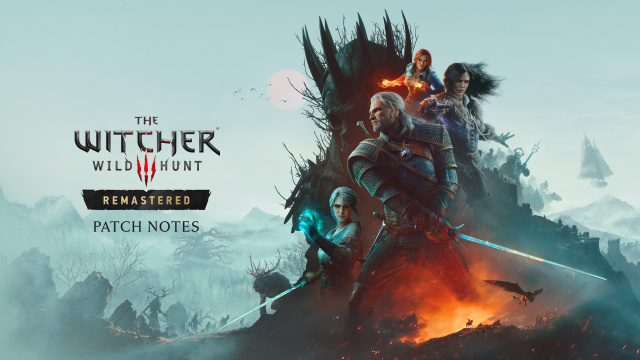
Image: Remastered key art from the official post. Credit: CD Projekt Red.
How much was actually added
Photo Mode gets its own named section in CD Projekt Red's change list, separate from Visual and Rendering, UI/UX, Gameplay and Accessibility. That allocation is itself a signal about how the developer weighs it, and the section opens by stating the UI was updated and the features "vastly expanded."
The list is long enough to be worth tabulating in full before describing any of it, because the additions fall into four groups and the grouping is more useful than a flat list.
| Group | Additions |
|---|---|
| Subjects | Choose from multiple different characters to place in the shot; a selection of poses and expressions for Geralt and placeable characters; a Look-at dropdown to choose where they direct their gaze; an option to hide surrounding NPCs |
| Lighting | Place lights and adjust their brightness, color and angles; environment presets; change the weather and time of day; adjust the intensity of weather effects |
| Camera | Lock the camera position; a first-person camera mode; toggle camera collisions with objects and walls; a Look-at dropdown; camera coordinates visible in the UI |
| Composition | Change the aspect ratio; Rule of Thirds lines with optional cinematic black bars; save and reuse camera presets; placeable props; a visible cursor on PC with a mouse; a confirmation prompt before exiting |
That is nineteen named additions in total. For context on the scale, the entire Rendering section of the same list contains fifteen items, and the Gameplay section, which covers the skill tree rework, the appearance system and every animation change, contains about twenty.
One framing note before the detail, because it matters for how much weight to put on any of this. This is a feature list, not a review. Nothing here has been tested by anyone yet outside CD Projekt Red, the game launches tomorrow, and day-one patch 1.01 exists and may change what ships. Every item below is a documented capability, not a verified one, and a piece that implied otherwise would be making claims the source cannot support.
Characters, poses and expressions, and aiming them
The first group is the one that turns a screenshot mode into a scene-building tool.
Previously, Photo Mode was a camera. The remastered version lets you choose from multiple different characters to place in your shot, which means the mode is no longer limited to Geralt and whatever the camera happens to be pointed at. That is a categorical change to what the tool is for, and it is the item most likely to be underappreciated in early coverage because it is listed as one line among nineteen rather than as the headline.
Those characters are not static props. There is a selection of poses and expressions for Geralt and placeable characters, and a Look-at dropdown that lets you choose where Geralt and the placeable characters direct their gaze. A gaze control is the difference between a character standing in a shot and a character looking at something in it. Whether the look-at is a free camera, a placed light, or a chosen point is not stated, and it is the detail that would determine how useful this is for composed scenes rather than portraits.
Combined with the separate option to hide surrounding NPCs, the effect is that world characters in the background can be removed so that only the ones you placed remain. That is a small line item and it removes one of the two things that made the old Photo Mode frustrating, the other being the camera.
Placeable lights, which is the item that changes the tool
The second group is the single most consequential addition, and it is worth saying why.
The list includes: "You can now place lights and adjust their brightness, color, angles and more."
That is a lighting rig. A camera that can be moved and framed, plus subjects that can be posed and aimed, plus lights that can be positioned and coloured, is no longer a screenshot tool. It is a small scene composition system, and the four adjustable properties named are the four that matter: brightness for exposure balance, color for key and fill separation, angle for direction and falloff, and the unspecified remainder for softness or shadow behaviour.
It is also the addition that interacts with the remaster's other half rather than standing alone. The same change list adds a reworked bloom, new image-based lighting, an improved shading model, ray-traced HairWorks, and updated subsurface scattering for skin. A scene lit by placed lights is being lit by a renderer that has just been rebuilt, which means the reason to use it is that the lighting response changed. A Photo Mode that could only move a camera would have shown you a new renderer in a way you could not use. One that lets you place lights lets you test it.
Combined with the environment presets, which apply different looks to the scene, the mode now has both a light rig and a look library. Whether presets and placed lights can be used together, or whether applying a preset overrides manual lighting, is not stated.
Locking, freeing and putting the camera in Geralt's eyes
The third group is the one that most directly repairs the old mode's most common complaint, which was that you could not hold a shot while you adjusted anything else.
- Lock the camera position "to make sure you capture the perfect shot."
- Toggle a first-person camera mode "so you can see the world through Geralt's eyes."
- Toggle camera collisions with objects and walls.
- Save camera presets, allowing you to save and reuse camera positions and angles.
- Camera coordinates are now visible in the UI.
The lock is the important one and the reason to be careful about ordering. A camera that can be locked, combined with subjects whose pose, expression and gaze can each be adjusted independently, means you can frame a shot, freeze it, and then tune every element inside it without disturbing the framing. That is a workflow, and it is the specific thing the old mode could not do.
Camera coordinates being visible is a small line that tells you something about the intended use. Exposing a numeric position in the interface is a feature aimed at reproducing a shot exactly, or at sharing one, which is not something the old Photo Mode supported at all.
The camera collision toggle deserves a specific note. The original mode had a known behaviour where the camera refused to pass through geometry, which is a defensible default and an irritation when you want a specific angle. Making it a toggle rather than removing it means the developer kept the sensible default and handed over the decision, which is the right way to ship that particular change.
Weather, time of day, hiding NPCs and the props question
The fourth group's world-modelling items are individually minor and collectively the reason a composed shot can look deliberate.
You can set the scene by changing the weather and time of day, and adjust the intensity of weather effects like rain or storms. The distinction between changing the weather and changing its intensity is the useful part, because a scene at full storm and a scene at light rain are different images and a binary weather toggle would only give you one of them.
You can hide surrounding NPCs, covered above, and you get placeable props, which the official list introduces with a line that is worth quoting because it tells you what the props are: "giving you even more ways to create the perfect scene. Just don't ask where they all came from." That is a developer acknowledging that the prop set includes things that have no business being placeable, and it is the closest the list comes to admitting the scope is a content problem as well as a systems one.
That framing has a consequence for expectations. Nineteen features is a large feature list, and placeable props is the item most likely to be thin in practice rather than expansive, because a prop system is fundamentally a content problem and content takes longer than systems. Nobody should build an expectation of a large furniture catalogue from a single line item.
Aspect ratio, Rule of Thirds and reading the coordinates
The composition tools are the least discussed category in games coverage and the most immediately useful in practice.
Three items, and each removes a specific limitation. Aspect ratio can now be changed, which means a screenshot no longer has to be whatever the window happens to be, and cinematic framings are available without cropping externally. Rule of Thirds lines are available at various aspect ratios with optional cinematic black bars, which is the one item in the list that is specifically about learning to frame rather than about producing an image. And camera coordinates are visible, which supports the reproducible-shot use described above.
The black bars are a small detail that indicates the intended framing range. Optional cinematic bars offered alongside selectable aspect ratios rather than instead of them suggests the developer is thinking about anamorphic and letterboxed output specifically, which is a photography reference rather than a game convention.
The two things added to stop you losing work
Two items exist purely to stop players making a mistake, and they are worth separating out because they are the ones that indicate how the mode is expected to be used.
The first is a confirmation prompt before exiting Photo Mode, described as helping prevent accidental exits. The second is that the cursor is now visible in Photo Mode on PC when using a mouse.
Both point the same way. A mode with placeable subjects, a pose and expression menu, a gaze dropdown, placeable lights with four adjustable properties, camera locking, and saved camera presets is a mode where a misclick has real cost. Losing a scene to a stray escape is expensive, and losing track of the mouse in a UI-driven tool is disorienting. Both are small patches to a tool that got much more powerful, and both are the kind of thing that only shows up once you have built something in it.
The cursor item also settles a small platform question. On a controller, a visible cursor is not the interaction model, so this is a PC-with-mouse addition rather than a cross-platform one, which is consistent with the rest of the list mentioning PC specifically only where PC is actually different.
What the list does not tell you
A feature list has a specific failure mode, which is that it makes capability look like quality. Several things that would determine how good the mode actually is are simply absent.
- No prop count. "Placeable props" is one line with no inventory, and the developer's own joke about where they came from is the only hint about the size of the set.
- No save or export format for scenes. Camera presets can be saved and reused, but nothing in the list says a composed scene, with its characters, poses, lights and environment preset, can be saved, shared, or exported. If presets cover only the camera, then the expensive part of the work is not portable, which would substantially change how the mode is used.
- No performance budget. A scene with placed lights, ray tracing and a rebuilt bloom is more expensive than a screenshot. Whether Photo Mode has a frame rate penalty, a setting for it, or a separate quality option is not mentioned.
- No statement about the original mode. The list says features were "vastly expanded" and does not say whether anything was removed. The old Photo Mode is described on this site in earlier coverage as basic, and whether any of it is gone is unknown.
- Nothing about presets interacting with placed lights, or about the Look-at dropdown's target options, both of which determine whether the lighting and subject systems compose.
None of that is a criticism of the feature set. It is a statement that the list is a list, and that four of the five items above are answerable within a day of the game launching by anyone with the build. That is a good problem to have and it is a reason to hold conclusions until tomorrow rather than form them tonight.
FAQ
What is new in Photo Mode for The Witcher 3 Remastered?
Nineteen distinct additions, grouped as subjects, lighting, camera and composition. The largest are the ability to choose from multiple different characters to place in your shot, a selection of poses and expressions for Geralt and placeable characters, a Look-at dropdown controlling where they direct their gaze, and the ability to place lights and adjust their brightness, color and angles. Also new: environment presets, weather and time-of-day control, weather intensity, camera locking, a first-person camera mode, a camera collision toggle, saved camera presets, visible camera coordinates, a selectable aspect ratio, Rule of Thirds lines with optional cinematic black bars, placeable props, the ability to hide surrounding NPCs, a visible cursor on PC with a mouse, and a confirmation prompt before exiting.
Can I put lights in a Photo Mode scene now?
Yes, and that is the item that changes what the mode is for. You can place lights and adjust brightness, color and angles, which means a scene has a lighting rig rather than only a camera. Combined with subjects that can be posed, given expressions and aimed with a Look-at dropdown, plus environment presets, the mode becomes a small scene composition system. What is not stated is whether placed lights and environment presets can be combined, or whether applying a preset overrides manual lighting.
Can I stop the camera moving while I adjust things?
Yes, camera position locking is one of the new features and the official list describes it as making sure you capture the shot you want. Camera presets can also be saved and reused, and camera coordinates are now displayed in the interface. The intended workflow is to frame the shot, lock it, and then adjust pose, expression, gaze and lighting without disturbing the composition. Separately there is a toggle for camera collisions with objects and walls, so the original mode's refusal to pass through geometry is now your decision rather than a fixed behaviour.
Can I change the aspect ratio or get cinematic bars?
Both. The aspect ratio is selectable rather than being whatever the game window happens to be, and Rule of Thirds lines are available at various aspect ratios with optional cinematic black bars. Both are among the least discussed items in the change list and the most immediately useful, since they remove the need to crop externally and give a framing reference while composing.
How many props can I place, and can I save a scene?
The change list does not say. It records "placeable props, giving you even more ways to create the perfect scene" and adds that you should not ask where they all came from, which is the only indication of the set's size. The list also does not state that a composed scene, with its characters, poses, lights and environment preset, can be saved, shared or exported. It says camera presets can be saved and reused, which may cover only the camera position and angle. If it does, the expensive part of the work is not portable, which would change how the mode is used.
Is the original Photo Mode still there, and is any of this tested?
The change list says the Photo Mode interface was updated and its features "vastly expanded" without stating whether anything was removed, so whether any of the original mode is gone is not established. Nothing in the mode has been tested outside CD Projekt Red as of writing, the game launches September 29, and day-one patch 1.01 exists. Every item described here is a documented capability rather than a verified one, and the prop count, the scene saving question and any frame rate cost in a lit and ray traced scene are all open.
Bottom Line
The Witcher 3 Remastered's Photo Mode is not an upgraded screenshot tool. It is a scene composition system, and the reason is the combination of three changes rather than any one of them. You can choose from multiple different characters to place in your shot, you can give Geralt and those characters poses, expressions and a chosen gaze through a Look-at dropdown, and you can place lights and adjust their brightness, color and angles. Camera, subject and lighting are separately controllable, and a mode with those three independently adjustable is doing something categorically different from pointing a camera at the world. The official list gives Photo Mode its own section, separate from Rendering, UI and Gameplay, and its nineteen named additions are more than the entire rendering section contains.
The lighting addition is the item that makes it worth the effort, and the reason is that it interacts with the rest of the update rather than standing apart from it. The same change list brings a reworked bloom, new image-based lighting, an improved shading model, ray-traced HairWorks and updated subsurface scattering. A camera-only Photo Mode would have shown you a rebuilt renderer and given you no way to use what you were seeing. A mode with a placeable light rig lets you test it, which is the difference between demonstrating a new lighting pipeline and demonstrating that you can direct it.
Then there is the workflow repair, which is the least glamorous item and the most practical. Camera position locking, saved camera presets and visible camera coordinates, combined with independent pose, expression and gaze controls, mean a shot can be framed and then frozen while everything inside it is tuned. That is the specific thing the original mode could not do, and camera coordinates being surfaced in the interface indicates the mode is meant to support reproducing or sharing a shot, which the original did not. The camera collision toggle is a smaller example of the same judgement: the developer kept the sensible default of refusing to clip through geometry and handed the decision to the player rather than removing the restriction.
Two additions exist purely to stop you losing work, and they are the clearest evidence of how the mode is meant to be used. A confirmation prompt before exiting prevents a stray escape from destroying a scene you spent time on, and a visible cursor on PC with a mouse fixes a disorientation problem in a UI-driven tool. Both are small patches to a feature set that just got much more powerful, and both are the kind of thing you only discover once you have built something and lost it.
What makes this a full reference rather than another preview is that Photo Mode appears in none of this site's 18,800 existing posts, and every item here comes from CD Projekt Red's own published list rather than from anyone's impressions. That also sets the limit honestly. This is a feature list, not a review, and nothing in the mode has been tested outside the developer before tomorrow's launch. Five things that would determine how good the mode actually is are simply absent from the announcement. There is no prop count, and the developer's own joke about where the props came from is the only hint at the size of the set. Nothing says whether a composed scene with its characters, poses, lights and environment preset can be saved, shared or exported, which matters enormously because the list does say camera presets can be saved, and if those cover only position and angle then the expensive part of the work is not portable. No frame rate cost is mentioned for a lit and ray traced scene. The list never says whether anything was removed from the original mode. And it does not say whether placed lights and environment presets compose, or what the Look-at dropdown will actually let you aim at, which is the detail that separates a portrait tool from a scene tool. Four of those five are answerable within a day of launch by anyone with the build.
The honest summary is that CD Projekt Red spent more of its change list on Photo Mode than on any system other than the skill tree, and that the two are linked in a way worth noticing. The skill tree rebuild is about restructuring what you have and gating it behind prerequisites. Photo Mode is about removing the limits on what the game will let you do with what you have, down to a cursor being visible. Both are the work of taking an eleven-year-old release and removing the places where it told you what you were allowed to do. That is the more interesting characterisation of this remaster than the one in the announcement, which led on path tracing, and it is the thread running through the nineteen items in this section, from a camera that can be locked to an aspect ratio you choose to a gas lamp you positioned yourself.
Source: CD Projekt Red, See what's new in The Witcher 3: Wild Hunt Remastered, posted on the official forums on September 28, 2026, is the primary and sole source for every capability described in this article. That includes all nineteen Photo Mode additions: choosing from multiple different characters to place in a shot, poses and expressions for Geralt and placeable characters, the Look-at dropdown, placeable lights with brightness, color and angle adjustment, the confirmation prompt before exiting, camera position locking, saveable camera presets, aspect ratio selection, the first-person camera mode, camera collision toggling, weather and time of day, weather effect intensity, Rule of Thirds lines with optional cinematic black bars, visible camera coordinates, hiding surrounding NPCs, placeable props, and the visible cursor on PC with a mouse. The related rendering items that the lighting section draws on, namely reworked bloom, new image-based lighting, the improved shading model, Ray-Traced HairWorks, updated subsurface scattering and the updated tone mapping, are from the Visual and Rendering section of that same list. The characterisation of the mode as a scene composition system, the grouping of the additions into subjects, lighting, camera and composition, the argument that placed lights interact with the rebuilt renderer, and the observation that the confirmation prompt and visible cursor indicate the expected difficulty of losing work, are this article's. The absences listed are absences from the published list and are stated as open questions rather than as features that do not exist. No capability is described that is not in the list, and no claim is made about how any of it performs, because nothing in the mode has been tested outside CD Projekt Red as of publication and the game has not yet launched
Related: Witcher 3 Remastered Sept 29: Free Upgrade, 30 Changes [2026] | Witcher 3 Remastered: Free Upgrade, Sept 29 Launch [2026] | Witcher 3 Remastered Switch 2 Locks Sept 29: 42GB, 40FPS, Free Upgrade [2026] | Switch 2 File Sizes Led by Witcher 3 Remastered at 43.5GB [2026] | The Witcher 3 HD Reworked Project NextGen Edition