
Three Graphics Tweaks for WoW Forever Fog and Frames [2026]
By Indie Kings | September 22, 2026
Updated September 22, 2026: Render Scale 98 percent plus Contrast 60 and Brightness 40 make Forever is new fog, lighting and water pop while saving frames, per Emma at Icy Veins. Small tweaks beat slider-maxing on the upgraded Azeroth.
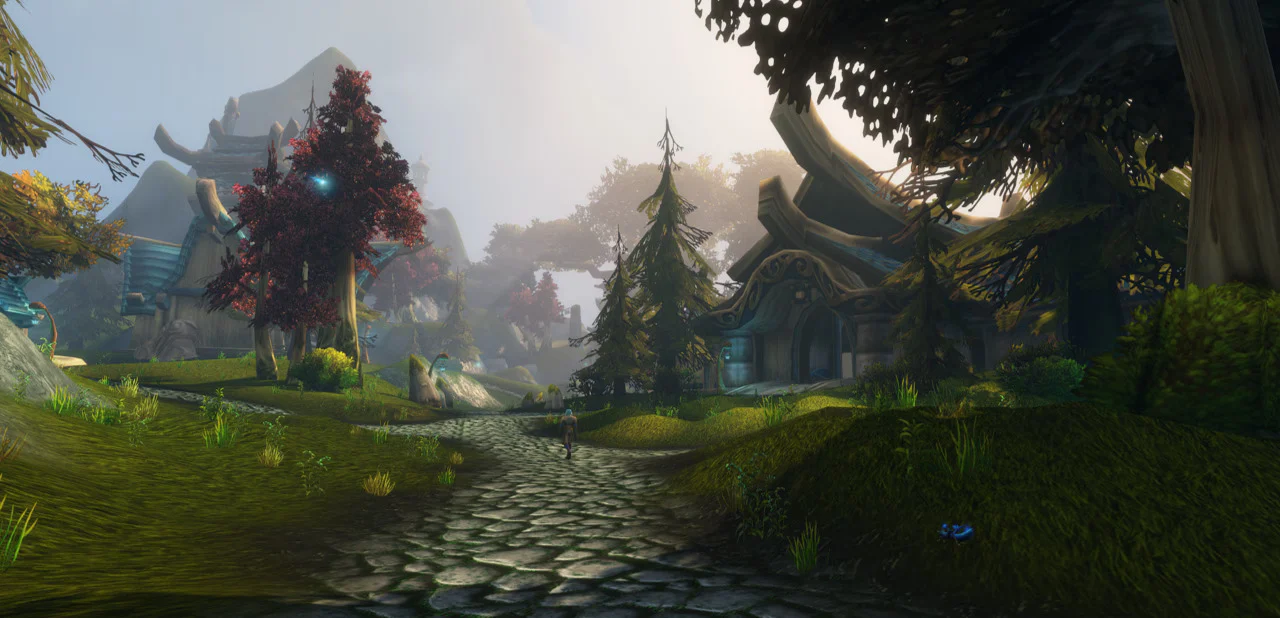
Image: Forever zones view. Credit: Icy Veins.
The three tweaks
Per Icy Veins, Render Scale 100 to 98 percent cleans the image without visible quality cost, with a comparison video linked in their post. Counter-intuitive but cheap, per the framing.
Per the same guide, Contrast 60 with Brightness 40 lets new fog effects shine, monitor-dependent. Brighter tastes should hold defaults instead, per the author is own caveat.
Three sliders, minutes of work, no addon needed. Our ClassicUI draft covers the interface side separately.
Why they work
Per the guide, Forever ships new fog plus lighting plus water as the headline upgrades. Contrast separation feeds exactly those systems while 98 percent scale trims the most expensive pixels.
WindowsCentral noted the same fog and water lead over retail in our Titan draft. Two outlets see the same engine wins.
Preference rules: darker cinematic versus brighter readable is taste, not correctness.
| Tweak per Icy Veins | Why |
|---|---|
| Render Scale 98 percent | Cleaner image plus saved frames |
| Contrast 60 percent | Fog and shadow separation |
| Brightness 40 percent | Pairs with contrast, monitor-dependent |
Know the cutoff first
Per our GPU-cutoff coverage, RGBA16F UAV support gates Forever with Kepler GTX 760 series plus HD6000 out while GCN1 plus Maxwell plus HD530 hold under the GTX10, RDNA1 and Xe2 minimums. Tune nothing until the card qualifies.
Beta crash plus lag fixes in Tavern is tracker cover the other half: settings resets plus EU routing plus VPN workarounds. Apply tweaks on a stable client.
ClassicWowForever lists GPU support plus crashes among its September 22 check-ins. Same advice from three hubs.
- Out: Kepler GTX 760 and 770 and 780, HD6000.
- In: GCN1 HD7850, Maxwell, HD530 and up.
- Min: GTX10, RDNA1, Xe2 class.
Per-card guidance
Below minimum: upgrade before November 4, no slider saves unsupported silicon. Minimum class: run 98 percent scale plus defaults first, then contrast to taste.
Above recommended: push contrast for fog drama with brightness matched to the panel. Screenshot both and pick blind.
This post is guide-only with no product links.
| Card class | Move |
|---|---|
| Below cutoff | Upgrade, skip tweaks |
| Minimum class | 98 percent scale, defaults, taste contrast |
| Above recommended | Contrast 60 plus Brightness 40 start |
FAQ
What are the three tweaks?
Per Icy Veins, Render Scale 98, Contrast 60, Brightness 40.
Do they cost frames?
Per the guide, the scale cut can save frames while looking cleaner.
What if I like bright?
Per the author, hold defaults. Taste call.
What is the GPU cutoff?
Per our cutoff coverage, RGBA16F UAV required with Kepler and HD6000 out.
Where are crash fixes?
Per Tavern tracker plus Forever Classic check-ins, settings plus routing plus VPN notes.
Is Icy Veins official?
No. Fan hub guide used per-batch with attribution.
Bottom Line
Check the cutoff, stabilize the client, then set 98 plus 60 over 40. Three sliders carry the new Azeroth.
Related: WoW Forever bags and reagent bag changes | Skyborne race guide for Shendorei and Zephras