
XeSS 3 Lands in Unreal With Super Resolution Frame Gen and Low Latency [2026]
By Indie Kings | September 21, 2026
Updated September 21, 2026: The Intel XeSS Unreal plugin by GameTechDev integrates XeSS 3 super resolution, frame generation with multi-frame, and Xe Low Latency into Unreal Engine, per the official repository README. The 217-star project documents console commands, Blueprint and C++ APIs, quality scales from 3x to 1x, plus BIOS, driver, and known-issue checklists. Pair it with XeSS Inspector for frame dumps.
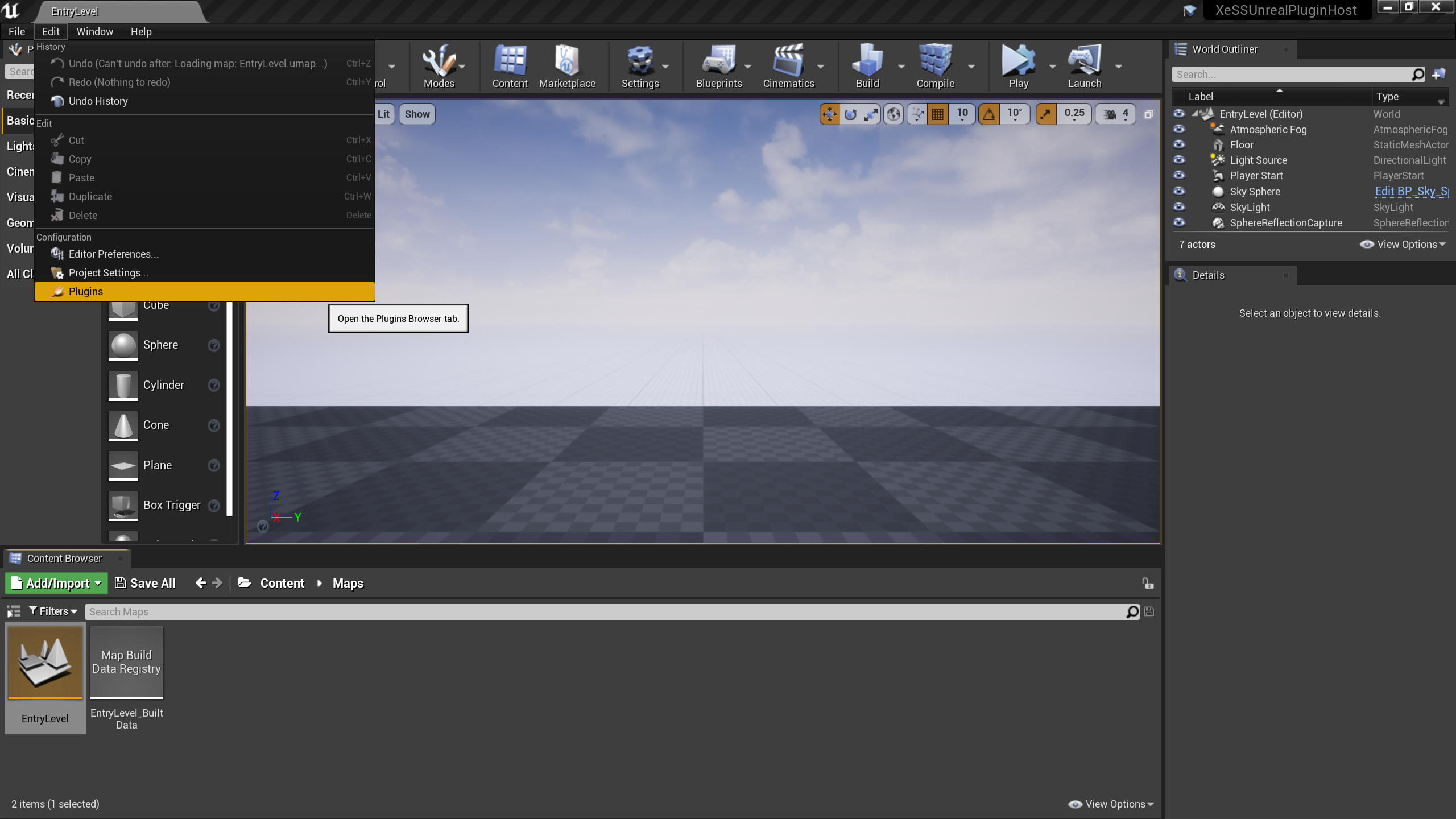
Image: The XeSS plugin settings in UE. Credit: Intel GameTechDev via GitHub.
What the plugin adds to UE
Per the official repository README at github.com/GameTechDev/XeSSUnrealPlugin, XeSS-SR, XeSS-FG with multi-frame, and XeLL land in Unreal through one plugin. Docs point at intel xess repos for SDK detail and intel.com xess-inspector for validation.
The repo holds 217 stars, 10 forks, and 29 commits at the time of writing. License is MIT with 16 supported locales from Arabic to Traditional Chinese.
Releases page hosts compiled plugin packages, per the README. C++ projects copy to project Plugins XeSS and build with the game, while Blueprint projects follow engine-level install steps.
Quality modes and frame counts
Per the README, XeSS-SR scales run Ultra Performance 3x, Performance 2.3x, Balanced 2x default, Quality 1.7x, Ultra Quality 1.5x, Ultra Quality Plus 1.3x, and Anti-Aliasing 1x. On UE 5.1 plus set r.ScreenPercentage to 100 divided by scale alongside r.XeSS.Quality, or read r.XeSS.OptimalScreenPercentage. Blueprint handles it automatically.
XeSS-FG takes r.XeFG.Enabled 1 with r.XeFG.MaxInterpolatedFrames 0 auto or up to supported count, per the README. Zero means auto, 1 doubles, 2 triples. UI composition toggles separately for broken HUD cases.
XeLL enables with r.XeLL.Enabled 1, per the README. Frame generation requires XeLL under the hood and turns it on automatically.
| Knob per README | Command | Default |
|---|---|---|
| XeSS-SR enable and quality | r.XeSS.Enabled 1, r.XeSS.Quality 0 to 6 | Balanced scale 2 |
| FG enable and count | r.XeFG.Enabled 1, r.XeFG.MaxInterpolatedFrames | 1 for 2x |
| XeLL enable | r.XeLL.Enabled 1 | Auto with FG |
| Screen percentage UE 5.1 plus | r.ScreenPercentage 100/scale | Read OptimalScreenPercentage |
How to integrate in a project
Per the README, C++ path copies the plugin under project Plugins XeSS, regenerates Visual Studio files, and builds with the game with auto-enable. Blueprint path builds via RunUAT BuildPlugin for source UE and copies to Engine Plugins Runtime Intel XeSS for UE4 or Marketplace XeSS for UE5.
Enable in plugin settings by searching XeSS, per the README screenshots. Project settings then expose editor viewport toggles.
Packaging needs no extra steps, per the README. Blueprint offers shipping-safe setting menus with default quality by resolution: Balanced at 1080p and below, Performance above.
How to verify and debug
Per the README, xess.log beside UE logs carries plugin and SDK versions in all builds including shipping. Query r.XeSS.Version, r.XeFG.Version, and r.XeLL.Version plus Supported variants for platform status.
Confirm passes with stat GPU for XeSS or XeFG entries, stat XeSS for contexts and memory, and stat XeFG for presented FPS, per the README. Real FPS needs stat XeFG or Game Bar since stat FPS misses the extra Present.
Frame dumps moved to XeSS Inspector, per the README deprecation note. HighResShot must match output set via r.SetRes or temporal data resets.
- Logs: xess.log rewritten each launch with versions.
- Stats: stat GPU, stat XeSS, stat XeFG.
- Dumps: XeSS Inspector, not deprecated CVars.
Gotchas before shipping
Per the README, Windows x64 only with DX11 Intel Arc gated, DX12 full, and Vulkan limits. FG needs UE 5.2 plus or source patches for 4.27 to 5.1. Only one frame-gen plugin can own the swap chain, with ini or command-line overrides to yield.
BIOS must disable CSM, enable UEFI, Above 4G, andResizable BAR, per the README, or Arc performance suffers. FG skips exclusive fullscreen, split screen, and VR. OBS below 30.1 can crash with FG. Bindless rendering crashes SR in UE 5.7 until 5.8.2.
Latencies split into game, render, simulation, submit, present, and input via Blueprint getters, per the README. Only XeSS-FG plus XeLL paths report the full chain.
FAQ
What does the plugin integrate?
Per the README, XeSS 3 SR, FG with multi-frame, and XeLL in Unreal Engine for Windows x64.
What are the quality scales?
Per the README, 3x Ultra Performance down to 1x Anti-Aliasing with Balanced 2x default.
How do I enable it?
Per the README, console commands for testing, Blueprint APIs for shipping, C++ GXeFGAverageFPS for counters.
How do I verify it runs?
Per the README, stat GPU, stat XeSS, stat XeFG, plus xess.log versions and XeSS Inspector dumps.
What breaks FG?
Per the README, exclusive fullscreen, split screen, VR, old OBS, and competing frame-gen plugins on the swap chain.
What BIOS settings matter?
Per the README, CSM off, UEFI on, Above 4G and ReBAR on for Arc performance.
Bottom Line
The XeSS Unreal plugin is the documented path for SR, multi-frame, and low latency in UE with test commands and shipping Blueprints. Pair it with Inspector dumps and BIOS checklist before profiling.
Related: DLSS 5 on AMD explained with 1000 stars and 33 FPS | Nvidia DLSS 5 unveiled with photo realistic controls | Nvidia GeForce 595.59 driver release issues