
Proton 11.0-2e Fixes EA App Bigger 11.0-3 RC Ready
By Indie Kings | October 10, 2026
Updated October 10, 2026: Proton 11.0-2e is available as a stable update through Steam Downloads with fixes for EA App launcher login focus under Gamescope and EA App splash images, per GamingOnLinux reporting by Liam Squires-Hand on October 10, 2026. A larger Proton 11.0-3 Release Candidate is now in public testing through the Proton 11 Beta opt in and will become stable when ready.
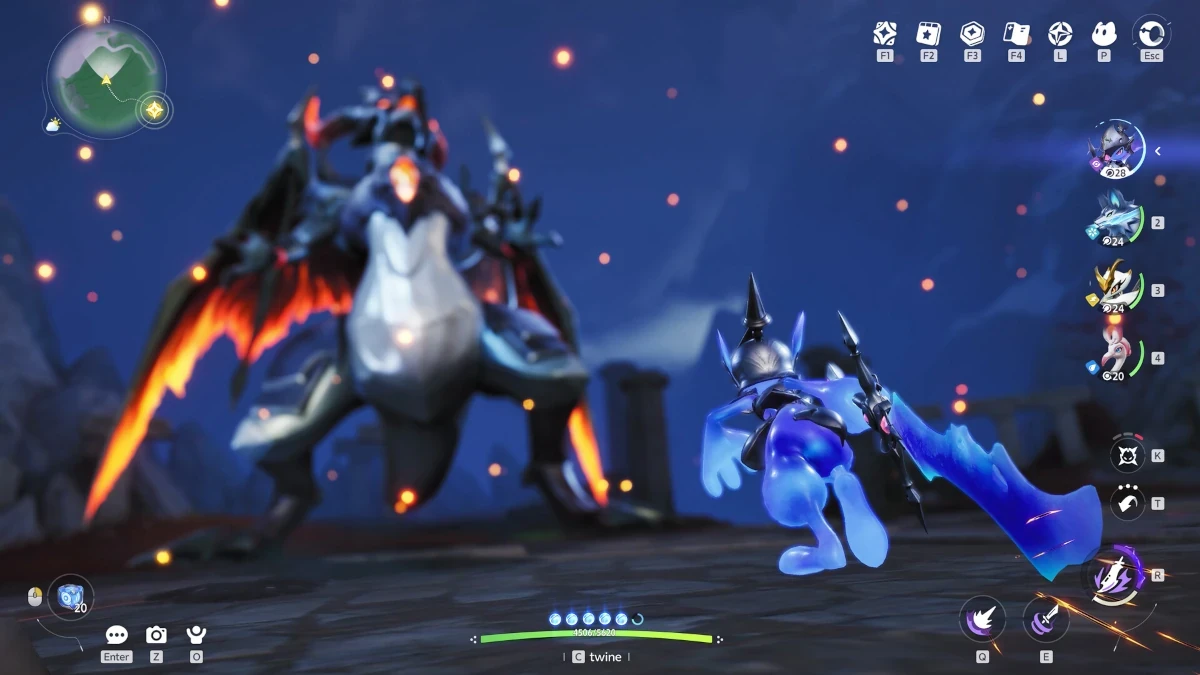
Image: Proton update art. Credit: GamingOnLinux.
Update overview
Valve released two Proton updates that affect Windows game compatibility on SteamOS and Linux, per outlet reporting from GamingOnLinux. The pair covers a small stable update and a much larger testing release. The small release is Proton 11.0-2e. The larger release is the Proton 11.0-3 Release Candidate. Per outlet detail, the stable update focuses on EA App behavior while the Release Candidate covers a broad set of now playable titles, fixes, regression repairs, and component updates.
Standing per outlet reporting is important here because Proton version numbers move quickly and similar labels can be confusing. Proton 11.0-2e is the current latest stable branch update. Proton 11.0-3 Release Candidate is not stable yet. It is ready for public testing and will end up becoming the new stable version of Proton when Valve feels it is ready enough. That distinction shapes what players should install today and what testers should try through the Beta channel.
GamingOnLinux published the report on October 10, 2026. The author is Liam Squires-Hand. The report notes that Valve released two Proton updates to bring more Windows game compatibility to SteamOS and Linux. Those two updates are described as a small Proton 11.0-2e and a Proton 11.0-3 Release Candidate. Readers who find Proton version labels confusing are pointed to the GamingOnLinux Guide for Proton versions, per that same report.
This Indie Kings summary uses only the facts in that GamingOnLinux article. It does not add new playable titles. It does not add new patch numbers. It does not add new dates beyond October 10, 2026. The goal is to make the two releases easy to compare, easy to install correctly, and easy to cite later when the Release Candidate graduates to stable.
For players, the practical takeaway is simple. If you use EA App titles through Proton, the 11.0-2e stable update is the near term fix. It arrives through the normal Steam Downloads flow. If you want to help test broader compatibility, the 11.0-3 Release Candidate is available through the Proton 11 Beta opt in. Feedback is wanted for issues that appear in the Release Candidate but do not happen in the current Proton 11.0-2 stable path.
For Steam Deck and SteamOS users, both releases matter because Proton is the compatibility layer that lets many Windows builds run in a Linux based environment. Small launcher fixes can decide whether a game starts cleanly, whether login stays focused, whether art displays correctly, and whether controllers respond as expected. Larger Release Candidates can move many titles from broken to playable at once, while also repairing regressions that appeared during Proton 11 development.
Proton 11.0-2e fixes
Proton 11.0-2e is a focused stable update. Per GamingOnLinux, the main changes are below and both concern the EA App. The first fix addresses login window focus with Gamescope. The second fix addresses splash image display for EA App titles. These are narrow changes, but launcher behavior often controls the whole play session because login and launch art appear before gameplay begins.
The first fix is stated as fixed EA App Launcher login window not being focused properly with Gamescope. In practical terms, focus means the login window receives input when it should. When focus is wrong under Gamescope, typing or mouse selection can land in the wrong place or feel unresponsive. The stable update corrects that focus behavior for the EA App Launcher login window.
The second fix is stated as fixed EA App titles not displaying the correct splash image. A splash image is the launch art or title card shown while a game starts. When the wrong image appears, it is mainly a presentation issue, but it can also signal that launcher metadata or title routing is not mapped correctly. The stable update corrects that display behavior for EA App titles.
The table below restates the 11.0-2e fixes exactly as listed by the outlet. It keeps the scope narrow on purpose. No other 11.0-2e changes are claimed in the source report. Readers should treat this table as the complete 11.0-2e fix list per outlet reporting.
| Area | Proton 11.0-2e fix per outlet | Why it matters |
|---|---|---|
| EA App Launcher login | Fixed EA App Launcher login window not being focused properly with Gamescope | Login input goes to the right window under Gamescope |
| EA App splash image | Fixed EA App titles not displaying the correct splash image | Correct title art shows during launch |
| Delivery | Normal update for the current latest stable version of Proton | No Beta opt in is needed for this stable update |
| Scope | Small update with EA App launcher changes as the main changes | Focused fix rather than broad compatibility overhaul |
The narrow scope is itself useful information. Players who do not use EA App titles may notice little change from 11.0-2e. Players who do use EA App titles may notice a smoother path from launcher to game. Because the update is stable, it is meant for general use rather than experimental testing.
How 11.0-2e updates
Per GamingOnLinux, Proton 11.0-2e will just show up in Steam Downloads. That wording matters because it tells players that no special action is needed to find the stable update. It arrives as a normal update for the current latest stable version of Proton. On a desktop Steam client, Steam Downloads is the normal queue where client, game, and Proton updates appear. On Steam Deck, the same update flow applies through the Steam client update path.
Players do not need to opt into a Beta to receive 11.0-2e. That is different from the Release Candidate path. The Release Candidate requires a direct Beta opt in on Proton 11. The stable update does not. If Steam Downloads shows Proton 11.0-2e as updated, the EA App fixes described above are in place.
If an EA App title still shows odd launcher behavior after the update, the outlet facts do not prescribe extra steps. The safest reading is to confirm that Proton 11.0-2e has finished installing, restart Steam if the queue looks stuck, and retest the affected EA App title. Beyond that, players should wait for future stable notes rather than assume additional fixes exist in 11.0-2e.
This delivery model is common for Proton stable updates. Small fixes ship when ready. Larger changes gather in Experimental, Hotfix, Beta, and Release Candidate builds before graduation. The article explicitly places Hotfix and Experimental in the history of one Release Candidate fix, namely Helldivers 2 not launching after a recent game update, which was previously rolled out via Proton Hotfix and Proton Experimental. That history shows how a fix can travel from faster channels into a broader Release Candidate.
Proton 11.0-3 RC explained
More exciting is the Proton 11.0-3 Release Candidate that is now ready for public testing, per GamingOnLinux. A Release Candidate is a build that could become the next stable release after testing and feedback. It is broader than 11.0-2e. It contains many now playable titles, many game specific fixes, Proton 11 regression repairs, and updated compatibility components.
The outlet states that this Release Candidate will end up becoming the new stable version of Proton when Valve feels it is ready enough. That language signals that timing is not fixed. Readiness depends on testing results. Valve is interested in getting feedback on it for any issues that appear that do not happen in the current Proton 11.0-2. In other words, testers should compare the Release Candidate against current stable behavior and report new problems.
Pictured in the source article is Aniimo. That pictured title is also one of the now playable titles in the Release Candidate list. The article does not claim more about Aniimo beyond its place in the now playable list and its use as pictured art. This summary preserves that limit and does not add review impressions or gameplay detail.
The table below summarizes the Release Candidate facts without inventing extra detail. It is meant as a quick reference for readers who want to know what kind of release this is, how to get it, what it contains at a high level, and what happens next.
| Topic | Proton 11.0-3 RC fact per outlet | Reader action |
|---|---|---|
| Release type | Release Candidate now ready for public testing | Expect testing status rather than final stable status |
| Future status | Becomes the new stable version when Valve feels it is ready enough | Wait for graduation notice before treating it as stable |
| Access path | Opt into the Beta directly on Proton 11 | Use Proton 11 Beta opt in to test the RC |
| Feedback focus | Report issues that appear in the RC but do not happen in current Proton 11.0-2 | Compare RC behavior against stable behavior |
| Content scope | Now playable list plus game fixes plus Proton 11 regression fixes plus component updates | See sections below for the full outlet lists |
| Pictured title | Aniimo is pictured and listed as now playable | No extra claim beyond pictured and playable status |
The Release Candidate is therefore best viewed as a testing snapshot with broad impact. It is not a small patch. It touches gameplay startup, controllers, audio, rendering, launchers, cameras, input focus, fonts, authentication, HDR, fullscreen behavior, video playback, voice lines, text rendering, and core compatibility libraries. The sections below walk through those outlet listed items in order.
Now playable in 11.0-3 RC
The outlet lists sixteen now playable entries for the Proton 11.0-3 Release Candidate. This summary reproduces only those entries. It does not expand the list. It does not merge similar names. It does not split ambiguous entries into extra titles. The wording below follows the article list as closely as plain prose allows.
The now playable entries are Hero Plus, City Car Driving, Soul Land Awakening World, Bloody Zombies, Welcome to Elderfield Demo, The Heroic Legend of America Second Revolutionary War, Blair Witch VR, Cool People Club, The Eden of Grisaia, The Rabbit Scroll, Elisa The Innkeeper Prequel, Korea IL-2 Series, One Shot Fading Memory, Impulse Response, 8Bit Fiesta, and Aniimo. Punctuation in game names is simplified here to avoid dash and formatting errors, but the title set matches the outlet list with no additions and no removals.
For clarity, the same set is also shown as a list. This list is the only now playable list in this article. Readers should not treat fixes mentioned elsewhere in this article as extra now playable claims. A game specific fix means the outlet listed a fix. Now playable means the outlet placed the title in the now playable group.
- Hero Plus
- City Car Driving
- Soul Land Awakening World
- Bloody Zombies
- Welcome to Elderfield Demo
- The Heroic Legend of America Second Revolutionary War
- Blair Witch VR
- Cool People Club
- The Eden of Grisaia
- The Rabbit Scroll
- Elisa The Innkeeper Prequel
- Korea IL-2 Series
- One Shot Fading Memory
- Impulse Response
- 8Bit Fiesta
- Aniimo
Aniimo appears both as pictured art and as a now playable entry, per the source article. That dual mention is preserved here without adding review language. The remaining fifteen entries are preserved as playable claims only. No playtime advice, performance claim, or setting recommendation is added because the source does not provide those details.
Players who own one of these titles and use Proton 11 Beta testing can check whether the title now starts and plays through its early flow. Testers should still compare against Proton 11.0-2 behavior because the outlet asks for feedback on issues that appear in the Release Candidate but do not happen in current stable. A title can be now playable overall while still showing a new issue that should be reported.
Major fixes in 11.0-3 RC
The Release Candidate includes a long set of game specific and platform specific fixes, per GamingOnLinux. This section restates those fixes in grouped prose so readers can scan by symptom. Every item below comes from the outlet list. No extra fixed game is added.
Controller and input fixes include improved controller support for Far Cry New Dawn, Binding of Isaac Rebirth and Split Second when Steam Input is used. They also include fixed controllers not working in Dragon Age Inquisition, fixed Avatar Frontiers of Pandora not detecting game controllers, and fixed middle mouse button not being able to move camera in Company of Heroes 3. Input focus handling is also addressed for Arma 3 on Gamescope, where the outlet lists fixed some input issues occurring after changing focus between the game and the launcher.
Crash and startup fixes include fixed RaceRoom Racing crashing when joining a ranked race, fixed a crash in Terminator Dark Fate Defiance, fixed Blue Effect VR not starting on some CPUs, fixed Hide and Moo showing error when quitting the game, fixed Legends of Dawn Reborn displaying error message box on start, and fixed Borderlands 4 showing up command prompt on the first launch. Launcher specific startup items include fixed Final Fantasy XIV launcher not working on the Steam Frame, fixed Nixxes launchers not working with Xalia, and fixed The Unfinished Swan locking up after opening the book.
Audio fixes include fixed audio cutting out in Touhou Danmaku Kagura Phantasia Lost, fixed audio issues in Dragon Quest Builders happening after device suspend, fixed audio issues in Lego Batman The Videogame, fixed audio issues appearing after 30 minutes of gameplay in Plants vs Zombies Game of the Year, and fixed missing character voice lines in Steins Gate Re Boot. These are distinct symptoms, so players should not assume one audio repair covers all audio behavior across Proton.
Rendering and display fixes include fixed rendering corruption in Return to Krondor, fixed rendering issues affecting the carpet in The I of the Dragon, fixed garbled and flickering rendering in Syde Rugby League Simulator, fixed Japanese text rendering in Killer7, fixed Far Cry 5 showing old GPU drivers warning with AMD GPUs, fixed HDR in Far Cry 5 on OLED Steam Decks, fixed Far Cry New Dawn showing GPU warning with AMD GPUs, fixed Horizon Zero Dawn Remastered and The Last of Us Part II showing Gnome top bar in fullscreen mode, and fixed video playback in Making Lovers. Mouse interaction is also addressed for The I of the Dragon, where the outlet lists fixed the main menu being non interactable with the mouse cursor.
Platform, CPU, authentication, and compatibility fixes include fixed Crysis and Crysis Wars not being playable for some newer AMD CPUs that support CPUID faulting, fixed Steam authentication failure in Nightingale, fixed Ragnarok The New World to be playable on other devices than Steam Decks, fixed a memory leak in Plan B Terraform, fixed Helldivers 2 not launching after a recent game update where the fix was previously rolled out via Proton Hotfix and Proton Experimental, fixed Achron displaying warning about missing fonts, fixed camera rotation stutter regression in Steel Gullet Demo, and added early support for 32bit OpenXR which requires Proton Use Wow64 equals 1 on x86. The OpenXR item is described by the outlet as early support, so testers should treat it as initial rather than complete.
Proton 11 regressions fixed
The outlet separates Proton 11 regressions into their own group. A regression means something that worked before but broke during Proton 11 development. The Release Candidate repairs twelve such regression entries. This section restates each one without adding new titles.
Per GamingOnLinux, Deus Ex Mankind Divided should be playable again with AMD GPUs. Lords of The Fallen is playable again. Command and Conquer Generals should no longer have graphical glitches in the menu. Natural Selection 2 should be able to connect to servers again. Serious Sam Double D XXL campaign should no longer crash on launch. Guild Wars 2 should no longer show KDE taskbar when in fullscreen. Surviving Deponia Playtest is playable again. Intro videos in Grand Theft Auto III play again. Lunacid Tears of the Moon is playable again. Ligo is playable again. Forza Horizon 4 should no longer leak memory on first start on KDE Wayland. Far Cry will no longer be uninteractible after switching to a different application and back on SteamOS.
These regression repairs are important for trust in a Release Candidate. They show that the testing goal is not only new compatibility but also restoring behavior that Proton 11 had broken. Players who stopped playing one of these titles during Proton 11 can retest under the Release Candidate and compare with Proton 11.0-2 stable behavior.
Testers should report regressions carefully. The outlet asks for issues that appear in the Release Candidate but do not happen in current Proton 11.0-2. That means a useful report names the Proton versions compared, the hardware path such as Steam Deck or desktop Linux, the display path such as Gamescope or desktop session where relevant, and the exact symptom. Vague reports are harder to act on than version to version comparisons.
Component updates
The Release Candidate also updates shared compatibility components, per GamingOnLinux. These updates sit beneath individual game fixes and can affect many titles at once. The outlet lists updated DXVK and VKD3D Proton to the latest state of their Proton 11 support branches. It lists updated DXVK NVAPI to version 0.9.2-94-g0f26995d8126. It lists updated Wine Mono to 11.3.0. It lists updated Xalia to 0.5.0. It lists updated FEX to 2610.
Players do not need to install these components separately. They ship as part of the Proton 11.0-3 Release Candidate. Their presence helps explain why one Release Candidate can include fixes across graphics translation, launcher support, Windows compatibility libraries, and emulation support paths. The outlet does not provide separate changelogs for each component beyond the version labels above, so this summary does not invent component level detail.
Two component related game fixes deserve restatement because they connect components to visible behavior. Nixxes launchers not working with Xalia is listed as fixed, and Xalia is listed as updated to 0.5.0. Final Fantasy XIV launcher not working on the Steam Frame is listed as fixed in the same broader update. Readers should treat those as outlet listed outcomes rather than as proof that every launcher issue is resolved.
How to test the RC
To test the Proton 11.0-3 Release Candidate, the outlet says to opt into the Beta directly on Proton 11. That is the only access path stated in the source. There is no separate download link, code, or branch name given in the outlet facts used here. Players should open Proton 11 properties in Steam, select the Beta opt in, allow the update to complete, then select the Release Candidate build for testing where appropriate.
Feedback should focus on differences from current Proton 11.0-2. Valve is interested in getting feedback for any issues that appear that do not happen in the current Proton 11.0-2, per GamingOnLinux. That comparison is the core testing task. If a game works the same in both builds, there is less to report. If a game works in stable but breaks in the Release Candidate, that is exactly the signal wanted before graduation to stable.
Players who only want stable behavior should stay on Proton 11.0-2e and let Steam Downloads handle updates. Testers who accept experimental risk can use the Beta path, but they should be ready to switch back to stable for important play sessions. The outlet does not promise a graduation date. It says the Release Candidate will become the new stable version when Valve feels it is ready enough.
Because Proton testing can affect saves, settings, and launcher state, testers should keep notes on which Proton version was used for each session. That habit makes bug reports stronger and makes it easier to return to a known good setup. The outlet does not prescribe backup steps, so this summary states only the general caution to track versions and results rather than inventing a backup procedure.
What this means for Steam Deck
For Steam Deck, SteamOS, and Linux desktop players, the two updates point in the same direction of broader Windows compatibility with fewer launcher and display interruptions. The stable 11.0-2e update helps EA App titles at the login and launch art stage. The Release Candidate helps a wider set of titles across startup, controllers, audio, rendering, CPU compatibility, authentication, HDR, fullscreen, video playback, and shared libraries.
Gamescope users should pay special attention to the focus related items. The stable update fixes EA App Launcher login window focus with Gamescope. The Release Candidate fixes Arma 3 input issues after changing focus between game and launcher on Gamescope. It also lists Guild Wars 2 no longer showing KDE taskbar in fullscreen and Horizon Zero Dawn Remastered and The Last of Us Part II no longer showing Gnome top bar in fullscreen mode. Fullscreen and focus behavior can differ between Deck, desktop, and docked setups, so testers should note the exact session type when reporting.
Controller users should note the Steam Input improvement for Far Cry New Dawn, Binding of Isaac Rebirth and Split Second, alongside separate controller repairs for Dragon Age Inquisition and Avatar Frontiers of Pandora. Display users should note Far Cry 5 HDR on OLED Steam Decks and AMD GPU warning repairs for Far Cry 5 and Far Cry New Dawn. Audio users should note suspend related and long session related repairs for Dragon Quest Builders and Plants vs Zombies Game of the Year, plus voice line repair for Steins Gate Re Boot.
None of this replaces per game testing. Proton compatibility can vary by hardware, driver, display mode, launcher version, and game patch. The outlet facts describe what changed in these Proton builds, not a promise that every listed title will run perfectly on every system. The most reliable path is to install the stable update for daily play, test the Release Candidate on titles you own, and report version to version differences through the expected Beta feedback path.
FAQ
What is Proton 11.0-2e?
Proton 11.0-2e is a small stable Proton update, per GamingOnLinux reporting on October 10, 2026. It focuses on EA App launcher login focus under Gamescope and correct splash images for EA App titles. It arrives as a normal update through Steam Downloads.
What is the Proton 11.0-3 Release Candidate?
It is a larger Proton build now ready for public testing, per the same outlet report. It includes a now playable list, many game fixes, Proton 11 regression repairs, and component updates. It will become the new stable version when Valve feels it is ready enough.
How do I get Proton 11.0-2e?
Let Steam Downloads install the normal stable Proton update, per outlet detail. No Beta opt in is stated for 11.0-2e. Confirm the update has finished, then retest the affected EA App title.
How do I test Proton 11.0-3 RC?
Opt into the Beta directly on Proton 11, per GamingOnLinux. Then test games and compare results with current Proton 11.0-2 stable behavior. Report issues that appear in the RC but do not happen in stable.
Which games are now playable in the RC?
Per outlet list only, the entries are Hero Plus, City Car Driving, Soul Land Awakening World, Bloody Zombies, Welcome to Elderfield Demo, The Heroic Legend of America Second Revolutionary War, Blair Witch VR, Cool People Club, The Eden of Grisaia, The Rabbit Scroll, Elisa The Innkeeper Prequel, Korea IL-2 Series, One Shot Fading Memory, Impulse Response, 8Bit Fiesta, and Aniimo. No other now playable titles are claimed here.
When will the RC become stable?
The outlet gives no fixed date and says it will graduate when Valve feels it is ready enough. Players who want stable behavior should stay on Proton 11.0-2e until that graduation is announced. Testers should keep using the Beta path and reporting differences.
Bottom line
Install Proton 11.0-2e through Steam Downloads for the EA App launcher login focus and splash image fixes. Test the Proton 11.0-3 Release Candidate through the Proton 11 Beta opt in if you want broader compatibility gains and are willing to report version to version issues. Per GamingOnLinux reporting by Liam Squires-Hand, the Release Candidate is the path that will become stable when ready, while 11.0-2e is the stable path to use today.
Sources
Reporting and patch detail in this article are attributed to GamingOnLinux. Per outlet coverage by Liam Squires-Hand on October 10, 2026, Valve released Proton 11.0-2e stable and the Proton 11.0-3 Release Candidate for public testing. See the source report at GamingOnLinux Proton 11.0-2e and 11.0-3 RC report.