
Agent Desktop: A Computer Use CLI That Reads the Accessibility Tree
By Indie Kings | November 3, 2026
Updated November 3, 2026: Agent Desktop is a Vercel Labs CLI and C library that lets an AI agent read and operate desktop apps through the operating system's accessibility tree. Version 1.1.0 shipped on November 3 with a batch of Windows overlay and text entry fixes, and the project now has more than 11,600 GitHub stars.
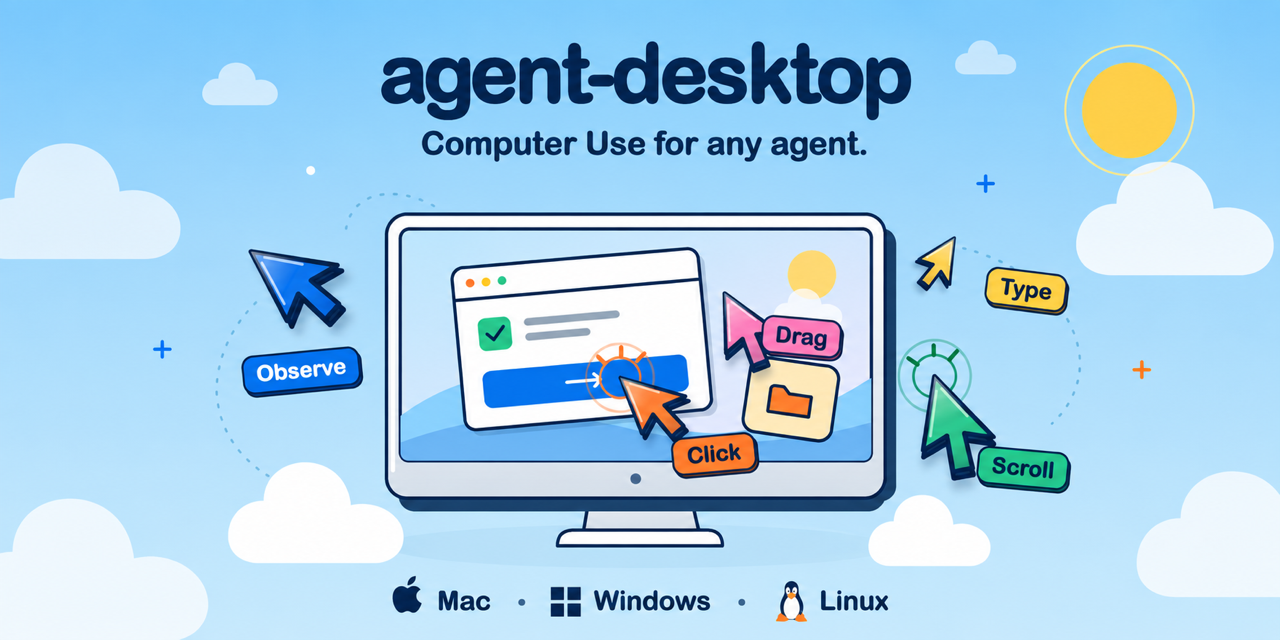
Image: the Agent Desktop banner. Source: vercel-labs/agent-desktop.
An agent that reads the UI, not the pixels
Most computer use agents look at a screenshot and guess where to click. Agent Desktop takes a different route. It asks the operating system for the accessibility tree of a running app, turns that tree into JSON, and gives every element an agent can act on a stable reference. The agent acts on the reference, then takes another snapshot to see what changed. There is no pixel matching and no image model in the loop.
That approach has a practical consequence: the agent sees what the app says it is, not what it looks like. A button is a button with a name and a set of available actions, not a rectangle at a set of coordinates. A text field is a text field, a menu item is a menu item, and a window has an id and a title. When the UI changes, the old reference stops working and the agent is told to take a new snapshot instead of clicking whatever now occupies the same pixels.
The project is a Vercel Labs product, released under Apache-2.0. GitHub lists 11,636 stars, 788 forks, 135 open issues, a creation date of February 19, 2026, and a Rust codebase of about 64 MB. It is available as an npm package with native binaries for x64 and ARM64 on macOS, Windows and Linux. A C library, libagent_desktop_ffi, ships with each release so a program can call the tool in process instead of starting a CLI for every command.
Version 1.1.0 arrived on November 3 with 1,231 downloads at the time of writing. The previous release, 1.0.2, had 9,367. The 1.1.0 notes are mostly fixes: Windows commands crashing at exit, the overlay scaling coordinates twice, a black square flashing when the overlay starts, carriage return and line feed being typed as two line breaks, and image cursors not drawing. It also adds a typing interval, a visible insertion caret after text entry on macOS and Windows, and a change that moves the cursor before taking the interaction lease.
Refs, snapshots and the observe-act loop
The core loop is three commands. The snapshot command, given an app name and the interactive flag, returns the interactive elements of the app with a reference for each. agent-desktop click @s8f3k2p9:e8 acts on one of those references. Then the agent snapshots again to verify the result. A snapshot has an id, a window id, a title, a reference count, a completeness flag and a tree. The tree carries roles, names, reference ids and the actions each element supports.
References belong to their snapshot. A bare @e8 is rejected with INVALID_ARGS. If the interface changed, an action returns STALE_REF or AMBIGUOUS_TARGET, and the agent has to take a new snapshot and use the new references. Several windows with the same app produce AMBIGUOUS_TARGET, and the snapshot lists the candidate window ids in the error details so the agent can pass one with the window id flag.
Dense apps have a mapping mode. A skeleton snapshot with the compact flag returns the shape of the interface first, and a root snapshot with the same flag drills into one region. That keeps a large app from returning a tree too big for a model to use in one pass. The tool is headless by default: reference actions go through the accessibility API without moving the pointer or taking focus. The global headed flag allows physical input when a task genuinely needs it.
Every command prints one JSON envelope with ok and either data or error. An error carries a code, a disposition and usually a suggestion. The contract is explicit about retries: retry only when error.disposition.retry is safe. That is a small detail with a large effect on agent reliability, because it turns a vague failure into a decision the agent can make without guessing.
The binary carries its own documentation, matched to its version. agent-desktop skills get desktop returns the loop, the reference rules and the retry rules. agent-desktop skills get platform returns the capability table for the operating system in use. The same skills can be installed into an agent harness from skills.sh, or referenced from an AGENTS.md file. The intent is that an agent can learn the tool without a separate documentation crawl.
Sixty commands and three platforms
The command surface is broad. It ships 60 command names, 56 of which are operational. The other four, key-down, key-up, mouse-down and mouse-up, refuse to run until a daemon can release a held key or button. That is a sensible guard: a stuck modifier key can leave a desktop in a state that is hard to recover from.
The groups cover observation, ref actions, keyboard and mouse, apps and windows, notifications, clipboard, waiting, sessions and system commands. Observation includes snapshot, find, get, is, screenshot and list-surfaces. Ref actions include click, double-click, triple-click, right-click, type, set-value, clear, focus, select, toggle, check, uncheck, expand, collapse, scroll and scroll-to. App and window commands cover launching, closing, listing, focusing, resizing, moving, minimizing, maximizing and restoring. Notifications and clipboard have their own commands, and a batch command runs several operations in one process.
| Capability | macOS | Windows | Linux |
|---|---|---|---|
| Accessibility tree | Yes | Yes | Yes, through AT-SPI |
| Click, type and keyboard | Yes | Yes | AT-SPI, plus X11 and GNOME keys |
| Mouse input | Yes | Yes | X11 with headed mode |
| Screenshot | Yes | Yes | X11 windows, Wayland portal |
| Clipboard | Yes | Yes | Yes, Wayland needs wl-clipboard |
| App and window control | Yes | Yes | Launch and list, X11 window control |
| Notifications | Yes | Yes | GNOME Shell |
Linux is the most conditional platform. It needs a graphical session with at-spi2-core, and mouse input and window control depend on X11. Wayland supports screenshots through a portal and the clipboard through wl-clipboard, but the full X11-style control is not there. macOS needs Accessibility permission, which the tool can guide you through with its permissions guide command. Windows needs no grant for apps at the terminal's integrity level, which is a quieter experience but also a narrower one: an elevated app may still be out of reach.
Installation is one npm command: npm install -g agent-desktop, then agent-desktop version. Bun, Yarn and pnpm install the same package. For direct execution without a JavaScript launcher, the matching native archive is on GitHub Releases, and its helper has to stay beside the executable. Official Homebrew and Scoop packages were being submitted at the time of writing and were not yet in the default catalogs.
Privacy, permissions and the trust boundary
Agent Desktop is a tool that can read a desktop and act on it, so the privacy warning in the README deserves attention. Snapshots, clipboard reads, screenshots, command output and debug artifacts can contain private desktop content. The project tells users to keep them out of public logs and uploads. That is not a theoretical concern: an accessibility tree can include document names, message previews, browser tabs and form values.
The optional JEV helper is separate from the native CLI and sends screen descriptions to a configured model provider. The README is explicit that it is a separate component, not part of the core tool. Anyone using it should treat the screen contents as data leaving the machine. The native CLI, by contrast, returns JSON to the caller and does not need a model provider to function.
Permissions follow the platform model. macOS gates the accessibility tree behind a system permission. Linux relies on the accessibility bus and the session. Windows relies on integrity levels. The tool does not try to bypass those controls, and the four held-input commands refuse to run rather than leaving a key or button pressed. Those choices suggest a project that understands the failure modes of desktop automation.
The limits are the ones that come with accessibility APIs. An app that draws its own custom interface and exposes nothing useful to the accessibility tree will be hard to drive. A game or a canvas application is a poor fit. A native app with good accessibility support is a good fit. The tool is also a CLI, so an agent harness has to be able to run processes and parse JSON; it is not a drop-in vision model.
The project is young and moving quickly. The jump from 1.0.2 to 1.1.0 in four days brought a long list of Windows and macOS fixes, which is a sign of active use and active breakage. The 135 open issues are part of that picture. Anyone building on it should pin a version, read the JSON output contract, and test the specific apps they care about rather than assuming the platform table covers every case.
FAQ
Does Agent Desktop use screenshots to find elements?
No. It reads the operating system's accessibility tree and returns a reference for each element. Actions target those references, and the agent takes a new snapshot to verify the result. Screenshots are available as a separate command but are not required for the loop.
Which platforms are supported?
macOS, Windows and Linux. macOS needs Accessibility permission, Windows needs no grant for apps at the terminal's integrity level, and Linux needs a graphical session with at-spi2-core. Linux mouse and window control depend on X11.
Can it control any desktop app?
It works best with apps that expose a useful accessibility tree. Apps that draw custom interfaces and expose little accessibility information, including many games, are a poor fit.
Is it free?
Yes. The project is Apache-2.0 licensed, and the npm package and native release archives are public.
Does it send my screen to a model provider?
The native CLI does not. The optional JEV helper is a separate component that sends screen descriptions to a configured model provider, and the README warns that snapshots, clipboard reads and screenshots can contain private content.
Can I call it from my own program?
Yes. Each release ships libagent_desktop_ffi for macOS, Linux and Windows, so a program can call the tool in process instead of starting a CLI for every command.
Bottom Line
Agent Desktop is a strong answer to a real problem: computer use agents are more reliable when they read structured UI than when they guess from pixels. The snapshot and reference model is easy to reason about, the JSON contract is explicit, and the retry rules give an agent a safe path through stale or ambiguous targets. The 60-command surface covers observation, input, windows, notifications, clipboard and sessions, and the FFI library means it is not limited to shell calls.
The caveats are platform depth and app coverage. Linux is the most conditional of the three platforms, macOS needs a permission grant, and apps with poor accessibility support will not work well. The project is also young, with a large open issue count and a release cadence that is still fixing basic Windows overlay behaviour. The privacy warning is serious: an accessibility tree can expose far more than a screenshot of one window.
Our take: this is worth testing if you are building an agent that needs to operate real desktop apps, especially on macOS or Windows. Start with one app, use the headless loop, and pin the version. Read the privacy guidance before logging snapshots anywhere. For games and custom-drawn interfaces, look elsewhere; for ordinary business apps, the accessibility route is the right one.
Sources
- GitHub vercel-labs/agent-desktop README, installation, quick start, commands, platform support, FFI and licence, accessed November 3, 2026
- GitHub release 1.1.0, release notes and download count, published November 3, 2026, accessed November 3, 2026
- GitHub release 1.0.2, release notes and download count, published October 30, 2026, accessed November 3, 2026
- GitHub API metadata for vercel-labs/agent-desktop, stars, forks, open issues, creation date, language, size and licence, accessed November 3, 2026
Related: Claude-Mem: Persistent Memory for Coding Agents at 105k Stars | TokenEconomizer: A Microsoft Plugin Cuts Coding Agent Costs by 30.9 Percent | Universal Modder Gives AI Agents A Safe Modding Playbook