
UEFI-Editor: Hidden BIOS Menus Without AMIBCP
By Indie Kings | November 1, 2026
Updated November 1, 2026: UEFI-Editor is a browser tool for exposing hidden settings in AMI Aptio V firmware, positioned by its author as an alternative to AMIBCP. It does not flash a motherboard. It edits files extracted from a BIOS image, and the user still has to replace those files and flash the result.
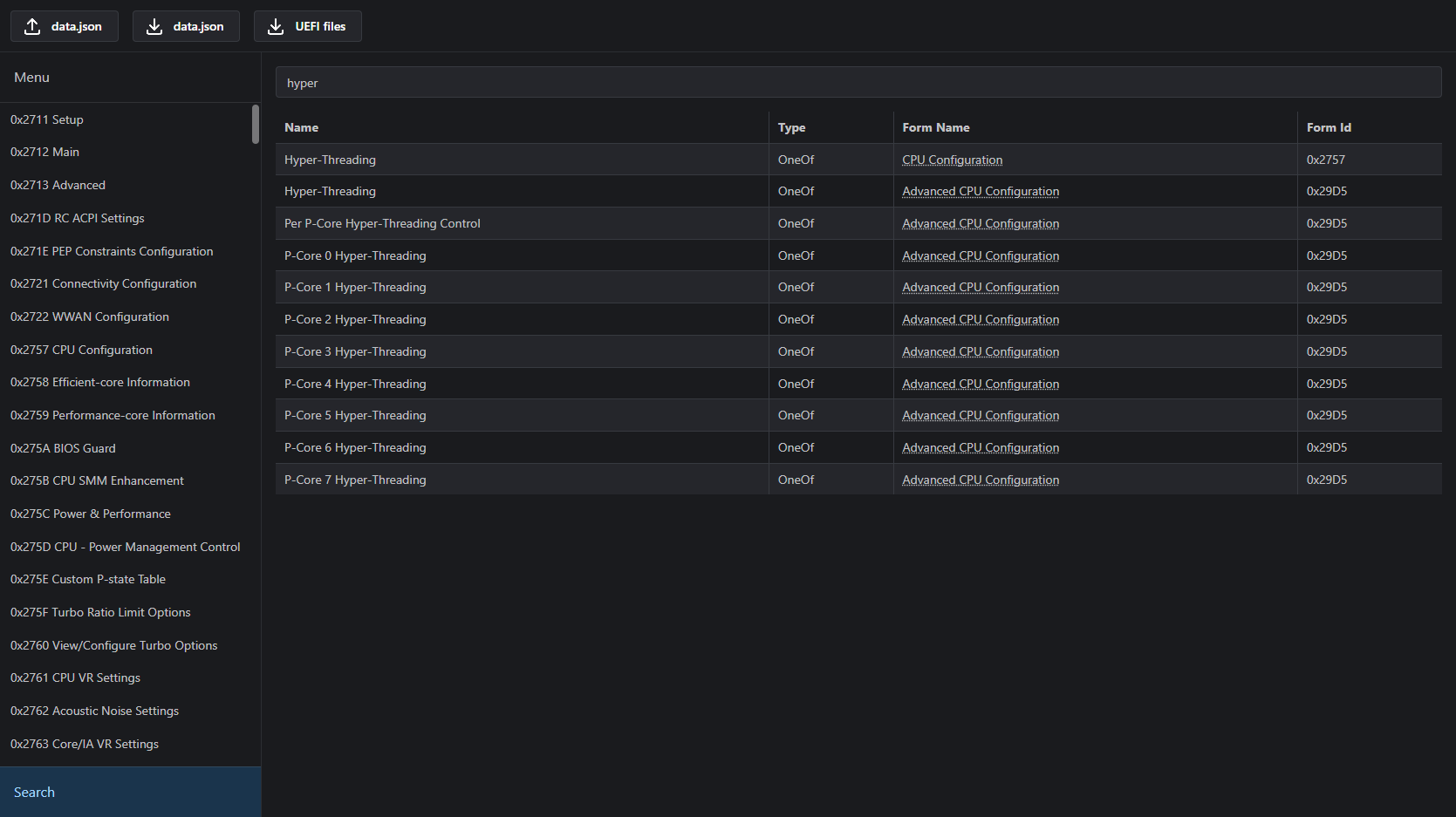
Image: UEFI Editor showcase screenshot from the project repository.
What the editor changes
Aptio V is AMI's UEFI firmware, used on a large share of consumer motherboards. Vendors build setup menus on top of it and hide settings they do not want users to touch. AMIBCP is the usual internal tool for changing those menus, but it is not something a normal buyer can download from AMI. UEFI-Editor is a web app that does part of the same job from files a user can extract at home.
The repository describes itself as an alternative to AMIBCP, and the hosted page carries the same line. The tool parses the Internal Forms Representation, or IFR, that describes a firmware setup menu. It then lets a user change form references, remove suppression conditions and adjust access levels. Those changes are written back into the extracted files, not into a live flash chip.
The menu tab is for top-level references. A user can change the target form of a menu entry, which is useful when a vendor's Advanced menu is a custom form with missing links. The README gives an MSI example: replace OC Profiles with Advanced, a child of Setup, to reach forms that are otherwise inaccessible while keeping access to OC Profiles. Pressing Escape after selecting OC Profiles opens Setup.
The visibility controls are more granular. A Suppress If opcode hides nested items when its condition is true. The README warns that the presence of a Suppress If opcode does not always mean the condition is true. If it is true, unchecking the offset removes the suppression. The other method is the access level. A value of 05 usually works, but a different value does not necessarily mean an item is hidden. The README links a forum post by Lost_N_BIOS for a list of possible access values.
The tool also has a practical warning: make sure the parent forms are visible when targeting a setting, and travel upward with the top-right navigation. Using Suppress If and access level at the same time can cause issues, and the result varies between firmware images. The README suggests trying access level first. That is the kind of advice that comes from repeated experiments, not from a specification.
Nothing in this workflow is a one-click unlock. The user has to extract the right sections, keep the firmware version consistent and replace the edited files correctly. The editor is the easy part. The firmware surgery around it is where a board can stop booting.
The four-file workflow
The prerequisites are specific. UEFITool NE is used to inspect the BIOS and extract sections. UEFITool 0.28.0 is used later to replace the modified files, because the README points to known issues in newer versions. IFRExtractor-RS converts the Setup PE32 section into readable IFR text. The fourth piece is the UEFI Editor page itself.
The extraction starts by dragging the BIOS file into UEFITool NE and searching for a known setting. The user double-clicks the reference to the Setup PE32 image section, then extracts that section as is. The extracted .sct file is converted with ifrextractor.exe in verbose mode. The same search is used to find AMITSE and setupdata. Sometimes both required files sit under AMITSE. The PE32 image section is extracted as is, and setupdata is extracted as body.
Those four files go into the editor: the IFR output, the Setup PE32 section, the AMITSE PE32 section and setupdata. After the edits, the UEFI Files download button produces the modified files and a change log. The change log matters because it records what was altered. The user then opens UEFITool 0.28.0, searches for the File GUIDs copied from UEFITool NE, and replaces each file the same way it was extracted. Extract as is maps to Replace as is. Extract body maps to Replace body.
The final step is saving the modified firmware and flashing it through the motherboard vendor's normal update path. The README does not provide a universal flashing procedure, and that omission is sensible. Vendors use different capsules, USB flashback tools and recovery modes. A file that is correct for one board can be wrong for another, even when both use Aptio V.
The version rule is strict. The README says to download the current BIOS version from the vendor and use the same version, because the structure changes across versions. If a board has two Setup sections, the user should pick the one whose offsets match. Changing a setting in the BIOS and reading the value through datasone's shell is the suggested way to confirm the match. Skipping that check can produce a firmware image that looks valid but edits the wrong data.
The risk is not theoretical. A bad firmware flash can leave a motherboard unbootable. Some boards have a second BIOS chip, USB flashback or a recovery header. Others need a hardware programmer. The README's advice to force a shutdown and reset CMOS applies to the no-flash route, not to a failed flash. Anyone trying this should know which recovery method the board has before starting.
The no-flash route
The second half of the README is a separate method for changing hidden settings without flashing a modified BIOS. It uses datasone's modded GRUB shell, renamed to BOOTX64.EFI and placed at USB:\EFI\BOOT\BOOTX64.EFI on a FAT32 drive. The user boots that drive in UEFI mode with Secure Boot and CSM disabled. Instead of replacing firmware files, the shell writes UEFI variables directly.
This route still needs the IFR output. The user finds the setting in the extractor output, converts the size from bits to bytes and the value from decimal to hexadecimal, then looks up the VarStoreId to find the VarStoreName. The optional IFR-Formatter.js script turns the extractor output into a compact line with the VarStore, offset, size and values. Node.js runs the formatter, but it is not required.
The command syntax is setup_var_cv VarStoreName VarOffset Size Value. For example, setup_var_cv CpuSetup 0x14 0x1 0x0 writes a value. Leaving off the value reads the current one: setup_var_cv CpuSetup 0x14 0x1. Typing reboot exits the shell and restarts the machine. The README's example uses Intel C-State at VarStore CpuSetup, offset 0x14, size 0x1, with Auto at 0x2, Enabled at 0x1 and Disabled at 0x0.
The no-flash method has different failure modes. It changes a UEFI variable, so a BIOS update, a CMOS clear or a vendor utility can reset it. It depends on the exact firmware version and the correct VarStore. If the board has two Setup sections, the wrong one writes to the wrong place. The README says to use the section with matching offsets and to confirm by changing a setting in the BIOS and reading it back with the shell.
The no-flash route is not automatically safer. It avoids a modified firmware image, but it still writes to low-level firmware storage with a tool that runs before the operating system. Secure Boot and CSM must be off, which changes the boot security posture. A mistake can leave a setting in an unexpected state, and the recovery advice is still a force shutdown and CMOS reset. The advantage is that the original firmware stays in place.
The two routes answer different questions. The editor route is for someone who wants a permanent modified firmware image, often to expose a menu the vendor hid. The shell route is for someone who wants to change one setting on the current firmware without flashing. Both require the same extraction work, and both assume the user has a recovery plan.
Workflow card
| Piece | What it does |
|---|---|
| UEFITool NE | Inspects the BIOS and extracts Setup, AMITSE and setupdata sections |
| UEFITool 0.28.0 | Replaces the modified files; the README avoids newer versions because of known issues |
| IFRExtractor-RS | Converts the Setup PE32 section into readable IFR text |
| UEFI Editor | Browser GUI for form references, Suppress If offsets and access levels |
| datasone grub-mod-setup_var | Bootable shell for writing UEFI variables without flashing |
| IFR-Formatter.js | Optional Node script that compresses IFR output into VarStore, offset, size and values |
| FAT32 USB drive | Boot medium for the no-flash route, with BOOTX64.EFI at EFI\BOOT |
| Vendor BIOS file | Must match the installed firmware version, because offsets move between releases |
FAQ
Is UEFI-Editor a BIOS flashing tool?
No. It edits files extracted from a BIOS image and downloads the modified files plus a change log. The user replaces those files with UEFITool 0.28.0 and flashes the result through the motherboard vendor's update method.
Which firmware does it support?
The project is built around AMI Aptio V, the firmware family named in its title and description. It is not a universal BIOS editor, and the README's extraction steps assume Aptio V structures such as Setup, AMITSE and setupdata.
What files do I need to upload?
Four: the IFR output from IFRExtractor-RS, the Setup PE32 image section, the AMITSE PE32 image section and setupdata. The README walks through extracting each one with UEFITool NE.
Why does it need UEFITool 0.28.0 instead of the newer version?
The README links to known issues in newer UEFITool releases and uses 0.28.0 for replacing files. UEFITool NE is still used for inspection and extraction.
Can I change a hidden setting without flashing a BIOS?
Yes, with datasone's grub-mod-setup_var shell on a FAT32 USB drive. It writes UEFI variables with setup_var_cv. The README requires the current BIOS version, Secure Boot and CSM disabled, and a CMOS reset if something goes wrong.
Is it safe?
No firmware edit is risk-free. A wrong section, a mismatched BIOS version or a failed flash can leave a motherboard unbootable. Check the board's recovery method first, and do not start without a way back.
Bottom Line
UEFI-Editor is a browser-based alternative to AMIBCP for AMI Aptio V firmware. It edits extracted Setup, AMITSE and setupdata files, exposes hidden forms through Suppress If and access-level changes, and downloads modified files with a change log. The repository has 972 stars, 80 forks and no releases, and its last commit was on March 15, 2026. A second workflow in the README uses datasone's shell to change hidden settings without flashing at all.
Our take: the tool is useful precisely because it stops at the files. The dangerous part is the flashing and the version matching, and the README is honest about both. Anyone who wants a permanent modified firmware image should treat this as one step in a longer procedure, not as a one-click BIOS unlock.
Sources
- GitHub BoringBoredom/UEFI-Editor README, prerequisites, extraction, editor controls, insertion and no-flash workflow, accessed November 1, 2026
- UEFI Editor hosted application at boringboredom.github.io/UEFI-Editor, title and description, accessed November 1, 2026
- GitHub API metadata for BoringBoredom/UEFI-Editor, stars, forks, issues, creation date, last push and license, accessed November 1, 2026
- GitHub commit 44e8c9ba, improve hash checks, March 15, 2026
Related: How To Update MSI Motherboard BIOS with MSI M-FLASH - Guide | Unlock Hidden Power: GIGABYTE's Ultra Turbo Mode for Intel Z890 Motherboards | NVIDIA VBIOS Vix Loader: 800 W on an RTX 5090 Without Flashing the Card