
How to Play Minecraft Dungeons II Co-op and Crossplay: 7 Steps [2026]
Tuesday, September 29, 2026By Indie Kings | September 29, 2026
Updated September 29, 2026: Minecraft Dungeons II supports up to 4 players in solo or co-op, with cross platform multiplayer listed on official Steam and Microsoft Store pages, per the DungeonsDB multiplayer page. The most important choice is your hero type, because aggregator guides report that an offline hero can never go online and an online hero cannot switch offline, so create an online hero if you want co-op.
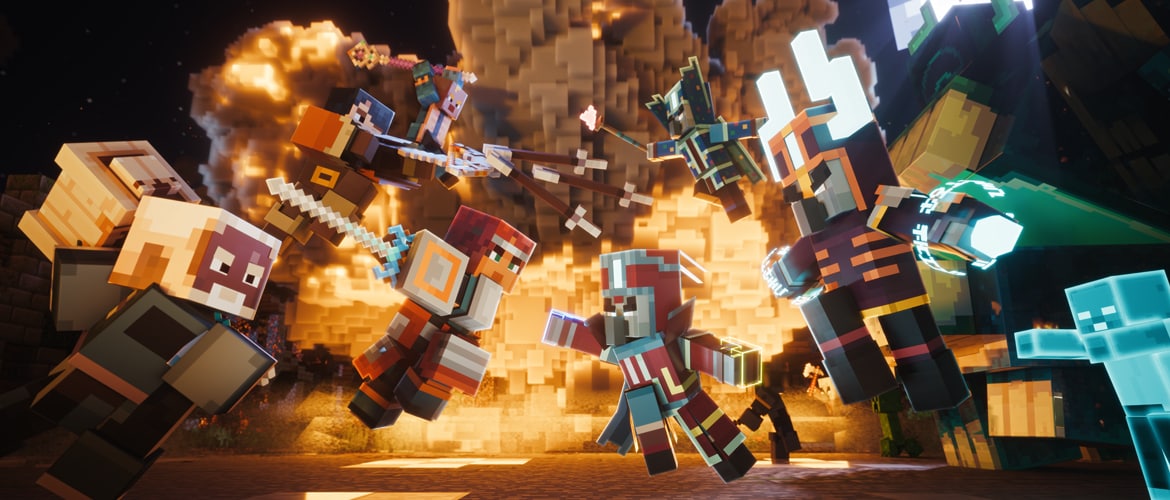
Image: Minecraft Dungeons II launch art. Credit: Mojang Studios via minecraft.net.
What co-op includes at launch
Minecraft Dungeons II launched September 29 2026, developed by Mojang Studios and Double Eleven, published by Xbox Game Studios, per Minecraft Wiki and minecraft.net. The launch covers Windows, Steam, Xbox Series X and S, PlayStation 5, Switch and Switch 2. It is also day one on Game Pass, with Xbox Play Anywhere and Cloud support.
The core party size is up to 4 players in solo or co-op, per the dungeons2.wiki co-op guide. That guide notes Xbox listings call out online co-op for 2 to 4 players and local co-op for 2 to 4 players. Couch co-op is confirmed by Mojang, although the exact split screen presentation is not detailed.
Cross platform multiplayer is listed on the official Steam and Microsoft Store pages, per the DungeonsDB multiplayer page last verified Jul 30 2026. The exact compatibility matrix across Steam, Xbox, PlayStation 5, Switch and Switch 2 is not published. You should confirm crossplay on your launch build before you promise friends a specific combination.
Online sessions support matchmaking with strangers plus party codes to connect, per the minecraft.net gameplay systems article from Aug 31 2026. Mixed local plus online party combinations were reported in hands on previews relayed by fan databases. That mixed option matters for households where two players share one console and two more join online.
Console online play requires the platform subscription for Xbox, PlayStation and Nintendo. That is a standard requirement and it applies to Minecraft Dungeons II like other online console games. Make sure every console player has an active subscription before launch night.
Preorder bonuses tied to the Twisted cape, chicken pet and hero skins expired Sept 28 2026. Do not chase those items in co-op menus after launch. They were timed preorder incentives, not unlocks you earn by joining a friend.
This guide walks through the full setup in order, from version check to first mission. It focuses on verified launch facts and clearly labels anything else. Follow the 7 steps below and your party will spend less time in menus and more time in dungeons.
What you need before you invite friends
Every player needs a copy of the game on a supported platform or access through Game Pass where available. Game Pass covers Xbox and PC day one for the Standard campaign. Friends on PlayStation or Switch still need a digital copy or disc for their system.
Every system in the party should run the same game version. Version mismatch is one of the most common reasons invites fail on launch week. Update the game on all systems before anyone sends an invite.
Each online player needs a stable internet connection and the correct platform account signed in. Console players also need the platform subscription mentioned above. PC players on Steam and Windows should check that online features are enabled after any privacy reset.
Decide who will host before you start. The host should have the strongest connection and the most central location relative to the group. A host on wired internet will usually give a smoother run than a host on weak wireless.
Have at least one extra controller charged if you plan couch play. Local players join on the same system, so controllers and input profiles matter. Single stick support is listed in accessibility notes relayed by fan guides, which can help a guest with a limited controller.
Talk about hero choice before character creation. Guide sites including howtovideogame from Sept 28 2026 and Beebom from Sept 29 2026, both aggregators not primary sources, report that a hero created as offline can never go online and an online hero cannot switch offline. Treat that report seriously even though it is not confirmed by Mojang. Create an online hero if there is any chance you will play co-op later [NEEDS VERIFICATION].
Gather your party code method in advance if you play across platforms. Some groups connect faster with codes than with friend list invites. The minecraft.net gameplay systems article describes party codes as a supported way to connect.
How to play co-op and crossplay in 7 steps
- Update to the same version on all systems. Check for updates on each console and PC, restart the game after patching, and confirm the version number matches across the party before you invite anyone.
- Create an ONLINE hero on every account that may join multiplayer. Do not create an offline hero for co-op, because aggregator guides from howtovideogame and Beebom report that an offline hero can never go online and an online hero cannot switch offline [NEEDS VERIFICATION]. If you are unsure, create a fresh online hero and keep any offline hero as a separate solo save.
- Sign in and add friends, then confirm crossplay is enabled. Each player should sign in to the correct platform account, add friends ahead of time, and check that cross platform multiplayer is listed as available on their launch build, since the full compatibility matrix across Steam, Xbox, PlayStation 5, Switch and Switch 2 is not published.
- Host or join through the Friends menu or with a party code. The host opens an online session from camp, the joining players accept the invite or enter the party code shared by the host, and everyone should gather in the same camp before starting a mission.
- Set the session to public matchmaking or private. Choose public matchmaking if you want strangers to fill empty slots, or choose private if you want only invited friends and local players, and confirm the setting with the whole party before you queue.
- Add couch players with extra controllers. Connect each controller, join each local player on the host system, and confirm every couch hero appears in camp before launch, because couch co-op is confirmed by Mojang for up to 4 players locally on supported listings.
- Verify the party in camp and start a mission. Check the roster, check levels and gear, then launch a mission together and stay grouped at the start, noting that difficulty scaling with party size is commonly reported but exact scaling numbers are [NEEDS VERIFICATION].
These steps sound simple on paper, but order matters on launch day. Version check comes first because nothing else works if versions differ. Hero type comes second because that choice may lock your save.
Friend setup comes third because cross platform invites depend on accounts, not just game ownership. Hosting comes fourth because the camp acts as the lobby where vendors and gear are shared. Privacy comes fifth because public and private attract very different teammates.
Couch join comes sixth because local players inherit the host network session. Verification comes last because camp is the safest place to catch a missing player. A two minute check in camp can save a twenty minute restart inside a dungeon.
Party modes compared
The game supports solo plus several co-op formats, per the dungeons2.wiki co-op guide and official store listings. Use the table below to pick the format that fits your group. Player counts come from Xbox listings and fan guide summaries, not from guesswork.
| Mode | Player count | What you need |
|---|---|---|
| Solo | 1 player | Game copy, no subscription, works offline with an offline hero |
| Online co-op | 2 to 4 players | Online hero, same version, platform account, console subscription on console |
| Couch co-op | 2 to 4 players locally | One system, extra controllers, local profiles, confirmed by Mojang |
| Mixed local plus online | Up to 4 players total | Host with couch players plus online invites, reported in hands on previews relayed by fan databases |
| Matchmaking with strangers | Up to 4 players | Online hero, public session, party codes optional, per minecraft.net gameplay systems article |
Solo is fully supported and nothing in the sequel requires a friend to open a door. It is also the best way to learn combat before you carry a team. Play the opening hour solo if you are new to dungeon crawlers.
Online co-op is the default way most groups will play. It supports 2 to 4 players and works with friends or strangers. Keep the party private if you want a controlled run with voice chat.
Couch co-op suits families and living room groups. Xbox listings call out local co-op for 2 to 4 players. The exact split screen presentation is not detailed, so expect a shared screen layout and check your launch build.
Mixed local plus online is ideal when part of the group shares a couch. Hands on previews relayed by fan databases describe this combination. The host system carries the local players into the online session.
Matchmaking fills empty slots with strangers when friends are offline. Party codes give you a direct way to connect without relying only on friend lists. Use codes for cross platform groups where friend discovery is slow.
Crossplay by platform
Cross platform multiplayer is listed as a capability, but the exact matrix is unconfirmed. That distinction matters because listed means the store pages advertise the feature, while verified means players have tested that exact pair on the launch build. Confirm your pair below on day one.
| Platform | Crossplay listed | Verified pair status |
|---|---|---|
| Windows PC Xbox app | Listed | Unconfirmed, confirm on launch build |
| Steam | Listed | Unconfirmed, confirm on launch build |
| Xbox Series X and S | Listed | Unconfirmed, confirm on launch build |
| PlayStation 5 | Listed | Unconfirmed, confirm on launch build |
| Switch | Listed | Unconfirmed, confirm on launch build |
| Switch 2 | Listed | Unconfirmed, confirm on launch build |
The DungeonsDB multiplayer page notes cross platform multiplayer on official Steam and Microsoft Store pages, last verified Jul 30 2026. That is a strong signal that crossplay is intended. It is not a guarantee for every platform pair at launch.
Xbox Play Anywhere lets an Xbox and PC purchase move between those screens. Steam, PlayStation and Nintendo remain separate storefronts. A Steam friend and a Switch friend still need Mojang enabled crossplay to meet in the same session.
PC players should also note the two PC storefronts. Windows Xbox app and Steam are both PC, but they are different ecosystems for friends and purchases. Test invites between those two versions early if your group spans both.
Cloud play through Xbox Cloud Gaming can act as an extra screen for a player whose laptop struggles. Game Pass includes Cloud on supported plans. Cloud still counts as online play and needs a stable connection.
If a specific pair fails, switch to party codes before you reinstall anything. Codes bypass some friend list discovery issues. If codes also fail, check versions and subscriptions next.
Common failure points
Version mismatch blocks invites more than any other issue at launch. One player on an older build cannot join a newer host. Update all systems, restart the game, and retry the invite.
Strict NAT or unstable wireless causes disconnects that look like game bugs. Use wired internet on the host where possible. Restart the router if a player keeps dropping during loading screens.
Missing platform subscription stops console online play immediately. Xbox, PlayStation and Nintendo each require their own subscription for online multiplayer. Check subscription status before you blame crossplay.
Offline hero lock is the most painful failure because it may be permanent. Aggregator guides from howtovideogame and Beebom report that an offline hero can never go online [NEEDS VERIFICATION]. Create an online hero for any account that might join co-op.
Privacy settings can hide invites on child accounts or locked profiles. Check crossplay permissions and friend request settings on each platform. An invite that never arrives is often a privacy block, not a server outage.
Full parties and public settings cause confusion when a stranger fills the last slot. Set the session to private if you want only friends. Set it to public only when you truly want matchmaking.
Mixed couch plus online sessions add controller and network load at once. Add local players first, then invite online players. If the session stutters, reduce the couch count or move the host to wired internet.
Couch and mixed party tips
Couch co-op is confirmed by Mojang, with Xbox listings calling out local co-op for 2 to 4 players. The dungeons2.wiki co-op guide notes split screen presentation details are limited. Plan for a shared screen and give the group a few minutes to adjust camera and seating.
Assign loot rules before the first dungeon. A simple rule like need before greed on talismans avoids arguments later. The game drops more loot than a full party can fairly review mid combat.
Keep the party grouped in hallways and spread on bosses. Four heroes moving as one unit stay inside support range. Stacking on every boss invites shared damage from the same attack.
Give new couch players a sturdy melee weapon and a pet where available. Pets draw attention away from fragile heroes. Heavy melee is easier to aim on a shared camera than a charged bow.
Use camp as your lobby for mixed groups. Start or join from camp so everyone sees the same vendors. Do not try to add players mid dungeon unless you accept the risk of a split party.
Balance builds instead of cloning four identical archers. One frontline fighter, one ranged damage dealer, one support or pet carrier, and one flexible fourth hero cover most fights. Four identical glass builds can struggle when enemies close distance.
Watch difficulty behavior as party size grows. Stronger groups often report tougher enemies in co-op, but exact scaling numbers are [NEEDS VERIFICATION]. If a dungeon feels too hard with four players, drop to a lower difficulty or tighten teamwork before you blame gear.
Communicate with markers and short voice calls rather than long text chats. Typing during a fight is a fast way to take avoidable damage. Short calls like group up, spread, or focus the boss keep strangers aligned.
FAQ
How many players can play Minecraft Dungeons II co-op?
Up to 4 players can play solo or co-op, per the dungeons2.wiki co-op guide. Xbox listings call out online co-op for 2 to 4 players and local co-op for 2 to 4 players.
Does Minecraft Dungeons II support crossplay?
Cross platform multiplayer is listed on official Steam and Microsoft Store pages, per the DungeonsDB multiplayer page. The exact compatibility matrix across Steam, Xbox, PlayStation 5, Switch and Switch 2 is not published, so confirm your pair on the launch build.
Should I create an online or offline hero for co-op?
Create an online hero if you may ever play multiplayer. Aggregator guides report an offline hero can never go online [NEEDS VERIFICATION], so keep offline heroes for solo only.
Do console players need a subscription for online co-op?
Yes. Console online play requires the platform subscription for Xbox, PlayStation and Nintendo. Check that each console account has an active subscription before hosting.
Can you mix couch co-op and online players in one party?
Mixed local plus online combinations were reported in hands on previews relayed by fan databases. Add local players on the host system first, then invite online players, up to 4 heroes total.
Is Minecraft Dungeons II on Game Pass and does it support Cloud?
Yes. It is day one on Game Pass with Xbox Play Anywhere and Cloud support. Game Pass covers Xbox and PC, while PlayStation and Switch players need their own copy.
Bottom Line
Minecraft Dungeons II is built for 4 player co-op across couch, online, mixed and matchmade sessions. Crossplay is listed on official store pages, but the exact platform matrix is unconfirmed at launch. Update versions, create an online hero, and verify your specific crossplay pair in camp before launch night.
Sources: minecraft.net gameplay systems article, DungeonsDB multiplayer page, dungeons2.wiki co-op guide.
Related: Game Pass vs Steam vs PS5 vs Switch 2 for Minecraft Dungeons II: 6 Differences [2026] | Minecraft Dungeons II Best Starter Builds: 4 Builds for Solo and Co-op [2026] | How to Run Minecraft Dungeons II on Low End PC: 7 Checks, 15 Min [2026]