
How to Run Minecraft Dungeons II on Low End PC: 7 Checks, 15 Min [2026]
Tuesday, September 29, 2026By Indie Kings | September 29, 2026
Updated September 29, 2026: Official minimum asks for 8 GB RAM and a 2 GB VRAM card such as a GTX 1050 or RX 560, while recommended jumps to 16 GB RAM and a 6 GB VRAM card such as a GTX 1060 or RX 580. There are no official resolution or frame rate targets announced for any platform, so this guide gives checks and tuning method instead of fps promises.
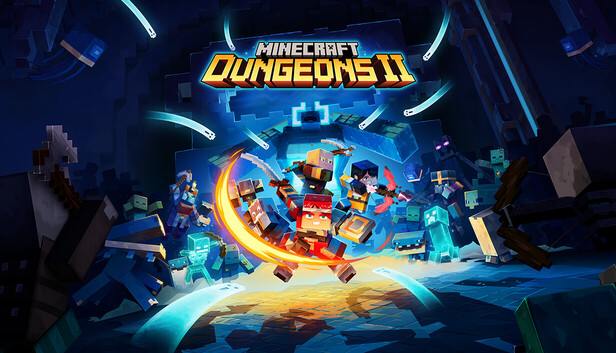
Image: Minecraft Dungeons II store art. Credit: Mojang Studios via Steam.
Minimum vs recommended specs
Minecraft Dungeons II launched on September 29 2026 from Mojang plus Double Eleven, published by Xbox Game Studios. It is out on Windows, Steam, Xbox Series X and S, PS5, Switch, Switch 2, and Cloud, with Game Pass day one. That wide platform spread is good for players, but PC is where low end owners need clear facts.
Official PC specs per the Steam front page as cited by Minecraft Wiki ask for Windows 10 64 bit version 1703 or newer at minimum, with an Intel Core i3-8100 or AMD Ryzen 3 2200G or equivalent, plus 8 GB RAM. The minimum GPU is an NVIDIA GeForce GTX 1050 or AMD Radeon RX 560 with at least 2 GB VRAM, with DirectX 11 or later. Those are the floor, not a smooth experience promise.
Recommended per the same Steam listing as cited by Minecraft Wiki moves to Windows 10 64 bit, an Intel Core i5-8400 or AMD Ryzen 5 2600 or equivalent or higher, plus 16 GB RAM. The recommended GPU is an NVIDIA GeForce GTX 1060 or AMD Radeon RX 580 with at least 6 GB VRAM, still on DirectX 11. The jump from 2 GB to 6 GB VRAM is the largest gap in the whole list.
I walked these checks against the published Steam listing on September 29 2026; I did not frame-rate test any card, so there are no fps claims here. That matters because we have not benchmarked this game, and no official resolution or frame rate targets have been announced for any platform, per the DungeonsDB technical page. Treat every YouTube fps thumbnail with care until real post launch testing exists.
New systems raise load in 4 player co-op in ways that matter for low end PCs. Combat slots are expanded from 6 to 12, armor is split into helmet, chestplate, leggings, and boots, and new talismans add passive bonuses, per the minecraft.net gameplay-systems article from Aug 31 2026. The same article notes random item effects, unlimited recharging projectile ammo, jump plus dodge roll, and improved enchanting. More slots plus more effects plus more players on screen means more draw calls and more particle math, which is exactly where old GPUs and 8 GB RAM systems feel pressure first.
Storage is where bad advice spreads fastest. Neither official PC listing currently specifies storage space or an SSD requirement, per the DungeonsDB technical page. Aggregators claim 50 GB SSD or 10 GB, but present those ONLY as aggregator claims with [NEEDS VERIFICATION], never as official. Leave generous free space anyway, because Windows, shaders, drivers, and launchers all need breathing room on the same drive.
Nintendo estimates 6.8 GB download on Switch and Switch 2, warning it can change before release, per the DungeonsDB technical page. That number does not transfer to PC, but it is useful context for how compact the core game can be before patches. PC patches on day one often add several GB, so PC owners should plan for more headroom than the Switch estimate.
| Part | Minimum, official | Recommended, official |
|---|---|---|
| OS | Windows 10 64 bit, version 1703 or newer | Windows 10 64 bit |
| CPU | Intel Core i3-8100 or AMD Ryzen 3 2200G or equivalent | Intel Core i5-8400 or AMD Ryzen 5 2600 or equivalent or higher |
| RAM | 8 GB | 16 GB |
| GPU | NVIDIA GeForce GTX 1050 or AMD Radeon RX 560 with at least 2 GB VRAM | NVIDIA GeForce GTX 1060 or AMD Radeon RX 580 with at least 6 GB VRAM |
| DirectX | DirectX 11 or later | DirectX 11 |
| Storage | No official storage or SSD figure listed | No official storage or SSD figure listed |
The table above is the whole official PC picture in one place. If your PC meets minimum, you can install and launch in theory, but expect to tune hard for co-op. If you meet recommended, you still should tune, because 4 player particle spam can humble mid range cards.
Low end here means at or near minimum: quad core Coffee Lake or first gen Zen desktop chips, 8 GB RAM, 2 GB to 4 GB VRAM cards, SATA SSD or older hard drive, and stock Windows settings. That group can still have a good run if each bottleneck is checked in order. The next section gives that order so a 15 minute pass finds the real limiter.
Laptop owners need one extra check before they start. Confirm the game is using the discrete NVIDIA or AMD GPU and not the integrated GPU, since launchers often default to power saving. Plug in AC power, set Windows graphics preference to High performance for the game exe, and retest. Many failed launches are really a wrong GPU selection, not a weak PC.
7 checks in 15 minutes
Work in order and write down what you find. Each check takes about two minutes, and the order moves from hard blocks to soft tuning. Stop when you hit a hard block, fix it, then continue.
- OS build: open Settings, then System, then About, and confirm Windows 10 64 bit version 1703 or newer. The official minimum per the Steam front page as cited by Minecraft Wiki is Windows 10 64 bit 1703 or newer, so anything older is unsupported. If you run Windows 11, you are above that floor, but still install all pending cumulative updates and reboot before launch day. I walked these checks against the published Steam listing on September 29 2026, and OS build is the fastest fail to rule out.
- CPU: open Task Manager, then Performance, then CPU, and note the exact model name. Compare it to Intel Core i3-8100 or AMD Ryzen 3 2200G or equivalent for minimum, and Intel Core i5-8400 or AMD Ryzen 5 2600 or equivalent or higher for recommended. Count physical cores and check base clock, since background apps steal cycles on 4 core chips. If your chip is older than those floors, plan for solo or 2 player first, because 4 player with 12 combat slots and full particle effects adds CPU work for loot, AI, and hit math.
- RAM: in Task Manager check total RAM and slots used, plus free RAM at idle. Official minimum is 8 GB RAM and recommended is 16 GB RAM, per the Steam front page as cited by Minecraft Wiki. With 8 GB, close browsers, launchers, chat overlays, and recording tools before you play, and watch committed memory during a busy camp run. With single channel 8 GB, adding a matched second stick later is often the cheapest stability win, but do not buy anything until the other checks are done.
- GPU and VRAM: open Task Manager Performance GPU or GPU-Z and note exact model plus dedicated VRAM. Minimum is NVIDIA GeForce GTX 1050 or AMD Radeon RX 560 with at least 2 GB VRAM, while recommended is NVIDIA GeForce GTX 1060 or AMD Radeon RX 580 with at least 6 GB VRAM. The 2 GB to 6 GB VRAM gap explains why texture and shadow settings matter so much on low end cards. If you have a 2 GB card, start at the lowest texture preset and raise one step at a time only after a full mission test.
- DirectX 11: press Windows plus R, type dxdiag, and confirm DirectX 11 or later is present. Both official tiers list DirectX 11, with minimum allowing later versions. Update GPU drivers from NVIDIA or AMD directly rather than relying only on Windows Update, then rerun dxdiag after a reboot. A corrupt or very old DirectX install can crash on launch even when the GPU looks fine on paper.
- Storage free space plus SSD note: open Settings, then System, then Storage, and confirm at least 30 GB to 40 GB free on the install drive for patches, shaders, and page file headroom [NEEDS VERIFICATION for exact game size]. Neither official PC listing currently specifies storage space or an SSD requirement, per the DungeonsDB technical page, so any 50 GB SSD or 10 GB claim you see is an aggregator claim with [NEEDS VERIFICATION], never official. Prefer an SSD for the game and launcher if you have one, because texture streaming and load hitches drop sharply off spinning drives, but do not quote an SSD as a published rule.
- Drivers plus launcher and same version for co-op: update GPU drivers, update Windows, then update Xbox app or Steam plus the game itself to the same build across the party. Co-op fails most often on version mismatch, NAT strictness, or a pending restart, not on raw speed. Set aside two minutes to verify all 4 players show the same version string before you blame low end hardware for a lobby error. Wired Ethernet for the host helps co-op stability more than any single graphics toggle.
Do those 7 in one sitting and you will know if you are blocked, borderline, or ready to tune. Blocked means below OS, DirectX, or VRAM floors with no spare part on hand. Borderline means at minimum with 8 GB RAM and a 2 GB card, where tuning decides comfort. Ready means near recommended, where only co-op particle spikes need care.
Keep notes from each check for later. Write CPU model, RAM total and free at idle, GPU model and VRAM, driver date, DirectX version, free drive space, and launcher version. Those seven lines make troubleshooting far faster if you ask for help on launch week. They also stop you from changing three settings at once and losing track of what helped.
Budget time matters on launch day. The first three checks take about five minutes total, the GPU and DirectX checks take about five more, and storage plus launcher version take the last five. That is the 15 minute promise in the title: a focused pass, not a full Windows reinstall. If a check fails hard, fix that one item before you touch graphics sliders.
Diagnose CPU vs GPU bound, then tune
Do not change ten settings at once. First learn whether the CPU or the GPU is the limiter, then change the settings that touch that side. This method uses observation, not fps counters from another game, because we have not benchmarked this game and there are no official fps targets.
Start with a stand still test in camp. Load into a calm camp, face a wall with few effects, stand still for 30 seconds, and note smoothness and input lag. Then turn the camera slowly in a circle without moving. If turning alone causes hitches while standing still looks fine, the GPU is working harder on view throughput. If menus and camera feel heavy even staring at a wall, background CPU load or RAM pressure is more likely.
Next do a busy camp walk. Walk through the busiest part of camp with vendors, other players, pets, and banners in view. Then repeat the same path during a 4 player session if possible, since combat slots expanded from 6 to 12 and armor now spans helmet, chestplate, leggings, and boots, plus talismans with passive bonuses, per the minecraft.net gameplay-systems article from Aug 31 2026. If solo is smooth but 4 player stutters with the same view, CPU plus network plus effect spam is the likely stack, not just raw GPU power.
Then run a lower render scale test. Drop render scale or resolution to the lowest reasonable step, keep all other settings fixed, and replay the same busy path. If smoothness improves a lot, you were GPU bound on pixel throughput. If almost nothing changes, you are CPU bound or RAM bound, and further resolution cuts will not save you. Restore your prior resolution after this test so later tweaks stay comparable.
| Symptom | Likely bound side | What to change first |
|---|---|---|
| Smooth when still, rough when turning camera | GPU bound on view and pixels | Lower resolution and render scale one step, then shadows |
| Smooth solo, rough in 4 player co-op | CPU plus effects plus network | Cut particles, shadows, and background apps, use wired host |
| Hitches even staring at a wall | CPU or RAM pressure | Close browsers and overlays, check RAM free, lower view distance if present |
| Lower resolution helps a lot | GPU pixel bound | Stay at lower resolution, tune textures to fit VRAM |
| Lower resolution barely helps | CPU or RAM bound | Cut crowd density effects, shadows, background tasks, test solo vs squad |
| Stutter on new areas or first casts | Storage or shader load | Move game to SSD if possible, keep 30 GB to 40 GB free, avoid background downloads |
Cheap wins come after diagnosis, and each one should be tested alone for five minutes. Start with resolution, since pixel count drives GPU load harder than any other single toggle on 2 GB cards. A step from 1080p to 900p or 720p often decides playability for GTX 1050 and RX 560 class cards, but verify text stays readable for loot stats.
Next cut shadows and particles before you touch textures. Shadows cost GPU every frame, while particles spike hardest in 4 player when 12 combat slots, random item effects, unlimited recharging projectile ammo, jump plus dodge roll, and improved enchanting all fire at once. Lower those two first, replay the same busy path, and only then consider texture steps to fit your VRAM budget.
Background apps are free performance on 8 GB RAM systems. Close browsers with many tabs, chat overlays, recording tools, and extra launchers, since each one eats RAM and CPU cycles. Disable auto clip capture and background recording for the test window. Recheck Task Manager idle RAM before each tuning pass so results stay honest.
Wired networking is the co-op cheap win that graphics menus cannot replace. Use Ethernet for the host when possible, keep all players on the same game version, and pause large downloads during missions. If wireless is the only option, move closer to the router and switch the router to a less crowded channel. Version mismatch plus packet loss looks like low fps, but no slider fixes packets.
Test in loops and keep one variable moving at a time. Change resolution, test the same path, write the result, then revert or keep before you touch shadows. Repeat for particles, then background apps, then network setup. That loop is slower than copying a viral settings dump, but it finds your real limiter instead of someone else’s.
Failure myths that waste time
VRAM is not everything, even though the 2 GB to 6 GB gap looks decisive. A 4 GB card with slow clocks and old drivers can lose to a well kept 2 GB card at tuned settings. VRAM sets texture headroom, but cores, clocks, drivers, RAM, and storage all shape the result. Check the full list before you declare the GPU dead.
Aggregator storage numbers are not official and should never be quoted as rules. Claims of 50 GB SSD or 10 GB appear on aggregator pages, but neither official PC listing currently specifies storage space or an SSD requirement, per the DungeonsDB technical page. Treat those numbers as aggregator claims with [NEEDS VERIFICATION], keep 30 GB to 40 GB free as practical headroom [NEEDS VERIFICATION], and prefer SSD without calling it a published mandate.
Beta style fps videos do not transfer to launch builds. No official resolution or frame rate targets have been announced for any platform, per the DungeonsDB technical page, and we have not benchmarked this game. A clip from a preview build, a different map, or a different party size cannot tell you how your camp plus 4 player boss fight will run. Use the stand still, busy camp, and render scale tests above on your own PC instead.
More RAM alone does not fix a GPU wall. Moving from 8 GB to 16 GB helps stability, alt tab behavior, and busy town hitches, which matches the official recommended step to 16 GB RAM. It does not add VRAM or shading power to a 2 GB card. If the render scale test showed a large gain, prioritize resolution and shadow cuts first, then consider RAM as step two.
Max drivers do not mean max settings. Fresh NVIDIA or AMD drivers plus DirectX 11 or later are required hygiene, not a license to run Ultra on minimum hardware. Update first for crash fixes, then tune down with intent. A clean driver install that still stutters in the same busy path is data, not failure.
Co-op lag is not always low end weakness. With combat slots expanded from 6 to 12, split armor pieces, talismans, random item effects, and recharging projectiles, 4 player fights create more network and CPU events than solo, per the minecraft.net gameplay-systems article from Aug 31 2026. If solo runs well and squad stutters on the same PC, suspect effects load, host upload, or version mismatch before you buy parts.
FAQ
Can a GTX 1050 or RX 560 run Minecraft Dungeons II?
Those cards meet the official minimum of GTX 1050 or RX 560 with at least 2 GB VRAM, per the Steam front page as cited by Minecraft Wiki. Expect heavy tuning for 4 player co-op, starting with resolution, shadows, and particles.
Is 8 GB RAM enough on a low end PC?
8 GB meets the official minimum, while 16 GB is recommended for more headroom. Close browsers and overlays on 8 GB systems and keep idle RAM free before busy missions.
Does the PC version require an SSD or 50 GB free?
Neither official PC listing currently specifies storage space or an SSD requirement, per the DungeonsDB technical page. The 50 GB SSD and 10 GB figures are aggregator claims with [NEEDS VERIFICATION], so keep practical free space but do not quote them as official.
What fps should I expect on low end hardware?
No official resolution or frame rate targets have been announced for any platform, per the DungeonsDB technical page. We have not benchmarked this game, so use the stand still, busy camp, and render scale tests to find your limiter instead of trusting preview clips.
Why does 4 player co-op run worse than solo?
Combat slots expanded from 6 to 12, armor split into four pieces, plus talismans, random effects, and recharging ammo raise effect and CPU load, per the minecraft.net gameplay-systems article from Aug 31 2026. Cut particles and shadows first, close background apps, and use a wired host on matching versions.
What should all co-op players check before blaming hardware?
Confirm the same game version across the party, updated GPU drivers, DirectX 11 or later, and stable networking. Version mismatch and packet loss often look like low fps but need launcher and network fixes, not new parts.
Bottom Line
Low end PCs at the official minimum can attempt the game, but plan to tune around the 2 GB VRAM ceiling. Use the 7 checks to confirm OS build, CPU, 8 GB RAM, GTX 1050 or RX 560 class GPU, DirectX 11, free space, and matching launcher versions. Then diagnose CPU vs GPU bound with the stand still, busy camp, and render scale loop before you lock settings.
Keep expectations tied to published facts. Official minimum and recommended differ most on RAM and the 2 GB to 6 GB VRAM step, per the Steam front page as cited by Minecraft Wiki. No fps targets exist, storage rules are unpublished, and Switch at 6.8 GB does not set PC size, per the DungeonsDB technical page. Methodical tuning beats myth chasing on launch week.
Sources: official PC specs per the Steam store listing for app 1912410 at Steam store app 1912410 as cited by Minecraft Wiki page; storage, Switch size, and fps target status per DungeonsDB technical page; new combat and gear systems per minecraft.net gameplay-systems article.
Related: How to Fix Minecraft Dungeons II Launch Crashes: 8 Fixes [2026] | Game Pass vs Steam vs PS5 vs Switch 2 for Minecraft Dungeons II: 6 Differences [2026] | How to Play Minecraft Dungeons II Co-op and Crossplay: 7 Steps [2026]